How to Handle Government ETA Outages Without Losing Bookings
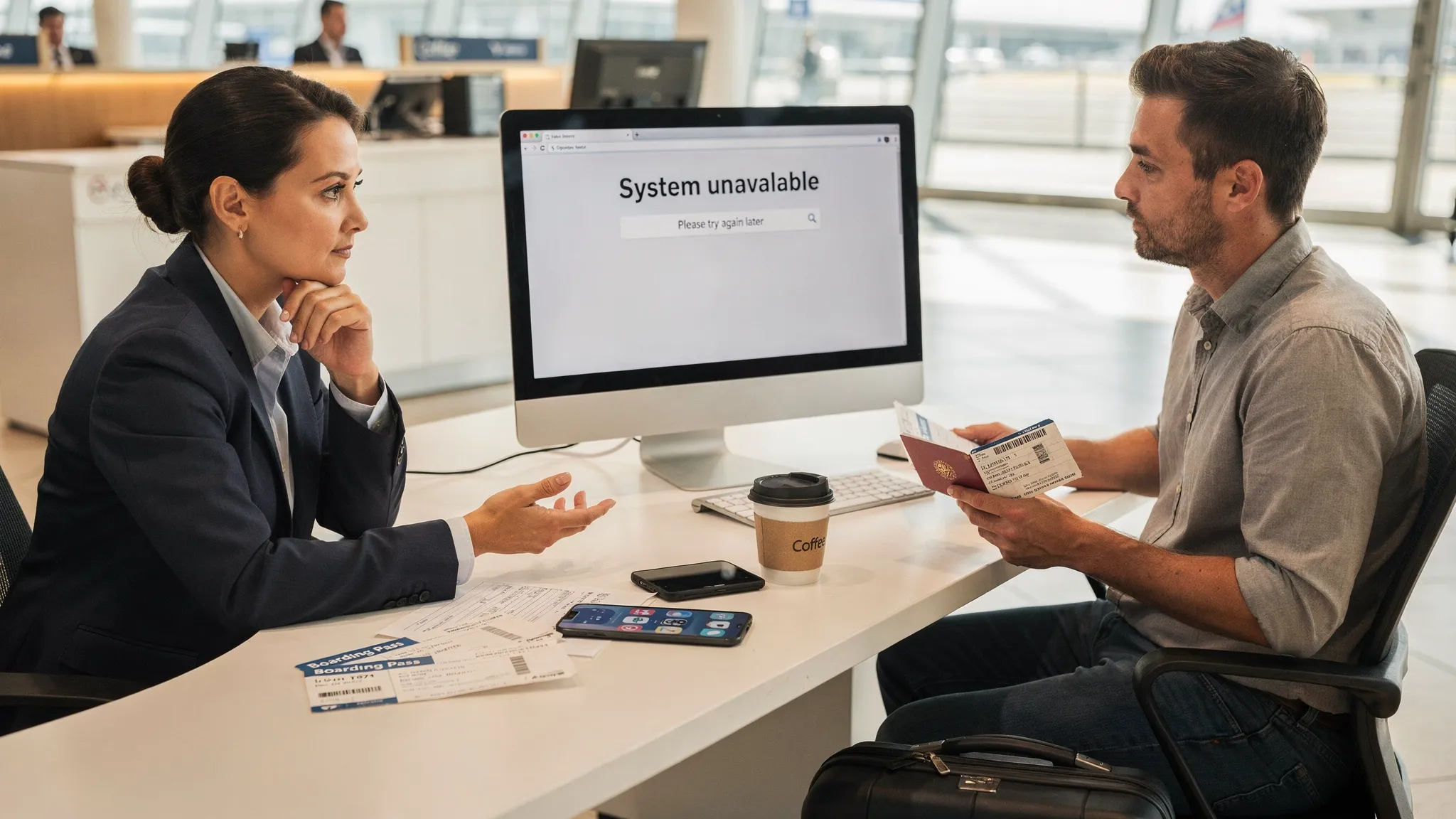
Government ETA systems are designed for scale, but they are still just software: they can slow down, time out, or go offline at the worst possible moment, right when a traveler is trying to complete checkout. For airlines, OTAs, cruise lines, and tour operators, an ETA outage is not only a compliance problem. It is a conversion problem, a support-load problem, and often an ancillary revenue leak.
This playbook explains how to handle government ETA outages without losing bookings, using proven incident-response patterns and practical UX choices that keep customers moving forward, even when the underlying authorization portal is unavailable.
What counts as a “government ETA outage” (and why it breaks conversion)
In this article, “ETA outage” includes any of the following scenarios:
- The official ETA portal is down (hard outage).
- The portal is up but returning errors for certain nationalities or payment methods (partial outage).
- The portal is responding slowly (soft outage) and travelers abandon the flow.
- The portal is online, but confirmation delivery is delayed (travelers cannot retrieve proof).
The commercial impact tends to follow the same pattern:
- Checkout friction spikes when customers are forced to “come back later” without a clear next step.
- Abandonment increases if the traveler cannot understand whether they can still book.
- Support costs rise because agents must explain rules and alternatives repeatedly.
- Chargebacks and disputes increase when expectations about “guaranteed travel” are not managed.
The goal is not to pretend the outage is not happening. The goal is to design a resilient journey that separates what must be completed now (booking, identity capture, consent, reminders) from what can be completed later (submission, payment, issuance), while staying accurate and compliant.
Step 1: Decide what “success” looks like during an outage
Most travel teams default to an all-or-nothing approach: if the ETA cannot be obtained immediately, they block the booking. That is sometimes necessary, but often it is avoidable.
A better approach is to define outage-safe outcomes in advance. Common outcomes include:
- Book now, apply post-booking: take the booking, then push ETA completion into a managed post-booking flow with deadlines.
- Book now, hold ticketing: confirm the reservation but delay ticket issuance (or final confirmation) until the traveler completes the ETA.
- Book only with eligibility confidence: allow bookings only when you can confidently state the traveler is eligible and has sufficient time.
- Block high-risk departures: restrict options when departure is too soon to safely recover.
To implement this reliably, you need a simple decision policy that product, ops, and customer support can all follow.
A practical outage decision matrix
Use a matrix like the one below to standardize decisions. Adapt the time buffers to your business model and destination mix.
| Time to departure | Eligibility known? | Outage severity | Recommended action | What to communicate |
|---|---|---|---|---|
| 0 to 24 hours | Yes | Any | Restrict, or allow booking only with manual review | “Authorization system is unavailable, your departure is soon, we will contact you within X minutes with options.” |
| 24 to 72 hours | Yes | Soft or partial | Book now, apply post-booking with deadlines | “You can book now. Complete your ETA as soon as the system is back.” |
| 72 hours to 14 days | Yes | Any | Book now, post-booking workflow | “We will notify you the moment you can submit.” |
| Any | No | Any | Route to guided eligibility check before payment | “We need a few details to confirm your entry requirements.” |
This is where travel document automation becomes valuable, because your decision policy depends on accurate rules, traveler context, and clear handoffs. (If you are mapping where this sits in your stack, see What Is Travel Document Automation?)
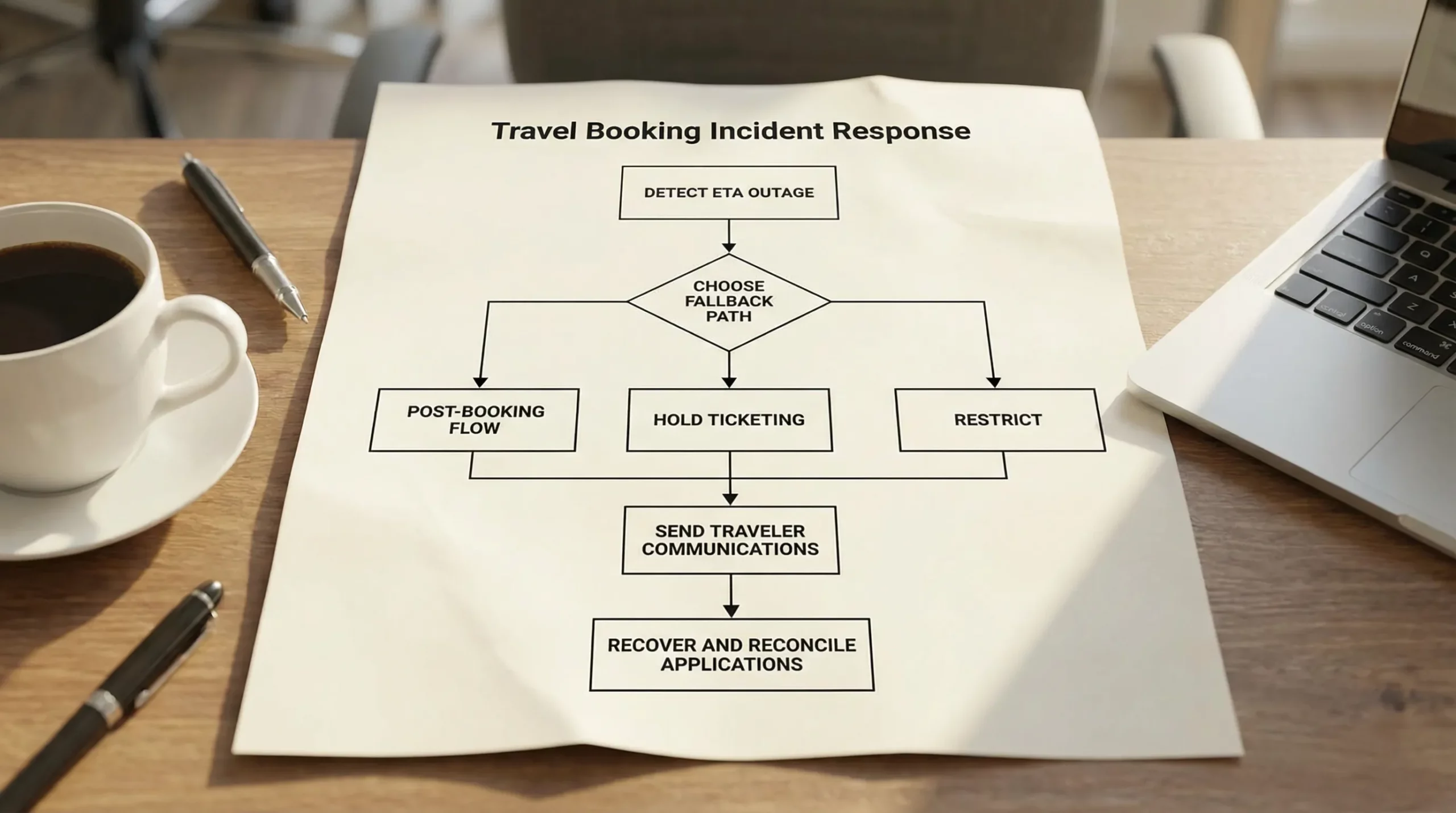
Step 2: Detect and classify the outage quickly (without over-engineering)
You do not need a perfect monitoring system to improve outcomes. You need a fast, shared classification.
Recommended signals to watch:
- Error rate and timeout rate on the government submission step.
- Median and p95 response time changes (soft outages often show up here first).
- Drop-off rate at the ETA step inside your funnel.
- Support contact volume tagged to “ETA/authorization not working.”
Operationally, define three states your teams can use:
- Green: normal performance.
- Amber: degraded performance (slow, intermittent errors).
- Red: unreliable/unavailable (hard outage or severe partial outage).
The reason this matters is that your customer messaging and fallback options should change by state. If you treat every amber as red, you will unnecessarily block revenue.
Step 3: Change the UX immediately with “degraded mode” patterns
When the government portal is failing, your product should switch from a “real-time issuance” experience to a “capture and continue” experience.
Patterns that preserve bookings
Replace dead ends with a next step. If the traveler sees an error after entering details, offer a clear path forward:
- Continue booking and complete ETA after confirmation.
- Save details and get notified when submission is available.
- Switch to a guided application option (if you offer one).
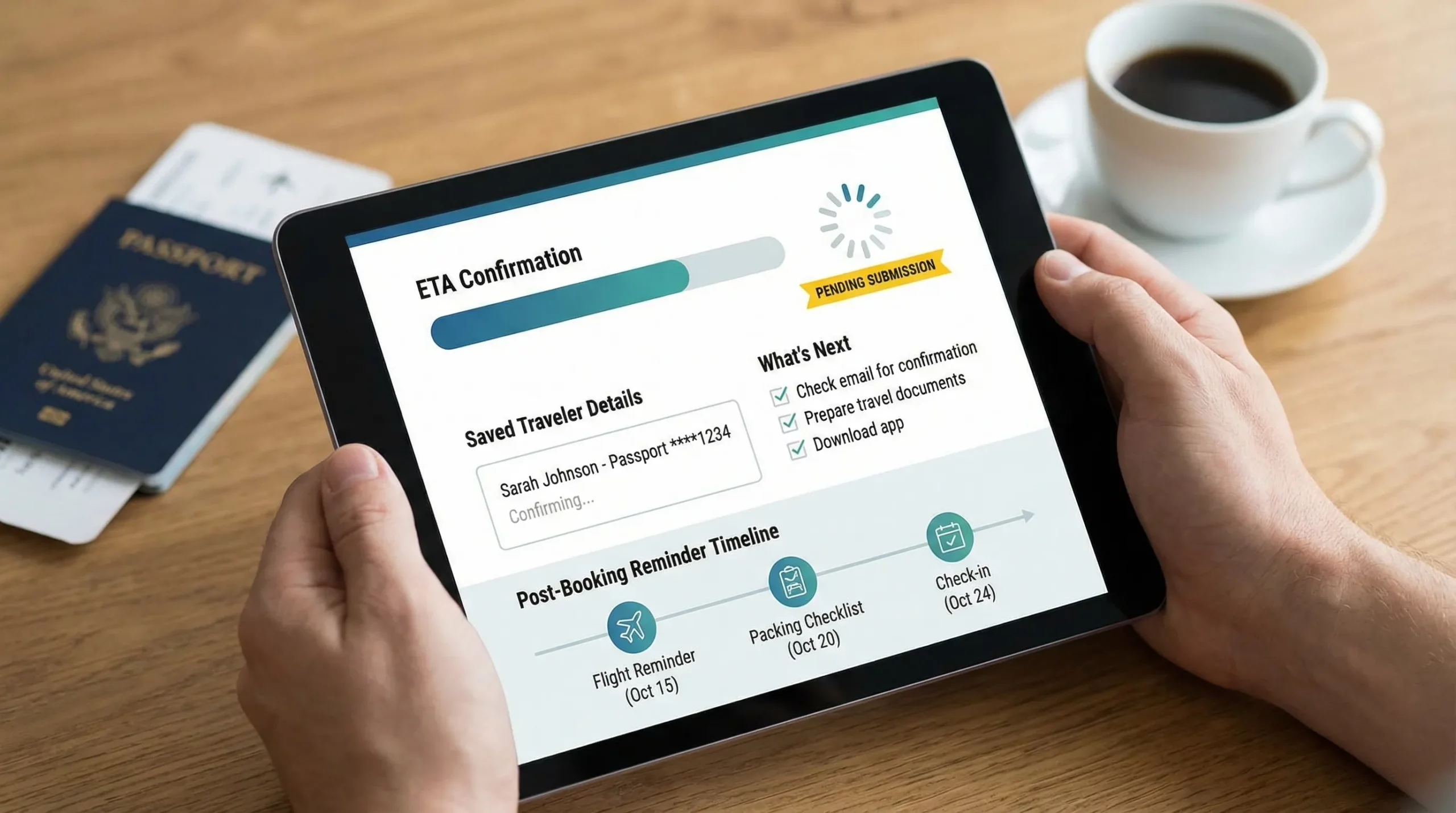
Create a “Pending authorization” status. In the booking confirmation page and emails, show:
- Destination authorization required.
- Current state: Pending submission, Pending decision, Approved, Not approved.
- The last attempted timestamp.
Collect what you can while the user is present. Even during an outage, you can often capture:
- Passport data (or a scan) and traveler identity details.
- Travel dates, purpose, and contact information.
- Consent for reminders and data processing.
This reduces repeat work and lowers abandonment when the system returns.
Offer post-booking automation. A structured post-booking journey (email, SMS, push) typically converts better than asking customers to remember to return. A useful reference is Building a Seamless Post-Booking Visa Journey, which you can adapt specifically for ETA recoveries.
Keep copy honest and specific
Avoid statements like “Your travel is guaranteed” or “ETA will be approved.” During an outage, your copy should focus on what you control:
- You have saved the traveler’s details.
- You will notify them when submission is possible.
- You will provide clear deadlines and alternatives if submission does not recover in time.
Step 4: Run an operational fallback, not a manual scramble
During red incidents, many companies fall into ad hoc manual work. Instead, pre-define a lightweight operational workflow.
The minimum viable outage workflow
Triage queue. Route affected bookings into a queue segmented by departure time and value (high-risk first).
Time-boxed retries. Attempt submission on a schedule (for example, every 30 to 60 minutes) rather than continuous retries that create noise.
Escalation path. Define when agents intervene, such as:
- Departure is within your risk window.
- Traveler is missing required details.
- Special cases (dual nationality, prior refusals, name mismatch).
If name consistency is a frequent issue in your authorization flows, it is worth linking troubleshooting directly from your outage emails. (Example: Handling Name Mismatches on Tickets, Passports, and eVisas)
Traveler communications cadence. Send fewer, higher-confidence messages. “We are still working on it” every hour is not helpful. A good pattern is: acknowledgement, progress update when state changes, and a deadline warning.
A simple communications template table
| Moment | Channel | Message goal | Example message (adapt to your tone) |
|---|---|---|---|
| Immediately after failure | On-screen + email | Confirm nothing is lost | “The government ETA system is temporarily unavailable. We saved your details and will notify you when submission resumes.” |
| 12 to 24 hours later (if still down) | Email/SMS | Reduce anxiety, set expectations | “Still unavailable. You can keep your booking. If submission is not possible by [date/time], we will contact you with options.” |
| When system recovers | Email/SMS | Drive completion | “Submission is back online. Complete your ETA now using your saved details.” |
| Approaching cutoff | Email + support outreach | Prevent day-of-travel disruption | “Urgent: authorization not yet issued and departure is soon. Please complete the steps now or contact support.” |
Step 5: Protect revenue with smart commercial rules (not blanket blocking)
ETA outages often trigger unnecessary revenue loss because policy is too rigid. Consider these commercial protections instead:
- Ticketing holds or partial confirmation for high-risk departures, rather than blocking all departures.
- Clear refund and rebooking rules for cases where authorization cannot be obtained in time.
- Ancillary pricing clarity: if you sell an authorization service, explain what is included (guidance, submission attempt, follow-ups) and how outage scenarios are handled.
If you are building your ancillary strategy around border and authorization products, the broader commercial context is covered in Why Border Crossing Solutions Are the Next Big Ancillary Opportunity.
Step 6: Build resilience into your ETA experience before the next outage
You cannot prevent government downtime, but you can prevent the downtime from becoming a booking-killer.
Design choices that reduce outage impact
Move authorization earlier in the journey (when it helps). If your data shows customers drop when surprised post-payment, consider surfacing requirements earlier with a fast eligibility check. A reference point for rules discovery is Visa Requirements by Country: A Quick Reference.
Make post-booking the default for long lead times. Many travelers do not need the ETA at checkout if they are booking far in advance. Capturing intent and details now, and completing later, can improve conversion and reduce checkout friction even when there is no outage.
Store proof and retrieval steps. When issuance emails are delayed or travelers lose access, friction increases. Your confirmation should always explain how to retrieve the authorization and what to present at check-in.
Train support on outage scripts. If agents improvise, you will see inconsistent promises and higher escalation. If you need a model for rapid training on digital authorization rules, see How to Train Customer Support Teams on eVisa Rules in One Week. The same structure works for ETA incidents.
Where SimpleVisa fits (without relying on government portals at checkout)
SimpleVisa’s platform is built to streamline border-crossing administration for travel businesses through automation and integration options such as API, white-label, data services, and no-code implementation.
In an ETA outage context, the most common value is enabling you to:
- Shift from a brittle, single-moment checkout dependency to a guided, automated flow that can run post-booking.
- Centralize traveler data collection so customers do not re-enter details when systems recover.
- Operationalize follow-ups with consistent statuses and a clearer handoff between product and support.
If your team wants to add a fast integration path for visa and authorization journeys, you can explore the implementation approach that fits your constraints, for example a widget-based launch (Embedding an eVisa Widget in Under 30 Minutes) or a deeper API integration (How eVisa APIs work: Step by Step).
Frequently Asked Questions
What should we tell travelers when the government ETA website is down? State the facts, avoid guarantees, and offer a next step. Confirm you saved their details, explain whether they can still book, and give a clear timeline for updates and cutoff actions.
Should we block bookings if an ETA cannot be issued at checkout? Not always. Many travel brands preserve conversion by allowing booking with a “pending authorization” status, then completing submission post-booking. You may still restrict bookings for departures inside a high-risk time window.
How do we avoid a surge in support tickets during ETA outages? Use consistent in-product messaging, automatic post-booking updates, and a visible authorization status on the booking page. This prevents travelers from asking the same “did it go through?” question repeatedly.
Is it compliant to let travelers book without an ETA? Compliance depends on the destination rules and the time to departure. Your safer approach is to separate booking from ticketing or travel readiness, and to communicate that authorization is required before travel.
What is the fastest way to operationalize a post-booking ETA flow? Start with a standard status model (pending, submitted, approved), deadline-based reminders, and a triage queue by departure date. Then automate the pieces you repeat most often.
Keep bookings moving, even when government systems do not
If government ETA outages are impacting your conversion rate or creating operational chaos, you do not need to accept it as “just part of travel.” You can design a resilient authorization journey that protects revenue and reduces support load.
Learn how SimpleVisa can help you streamline border-crossing administration through API integrations, a white-label app, or a no-code implementation. Visit SimpleVisa or contact the team via the guidance in Visa Contact Us: Get Instant Support to discuss the best rollout option for your booking flow.