Visa Application Abandonment: A Diagnostic Checklist
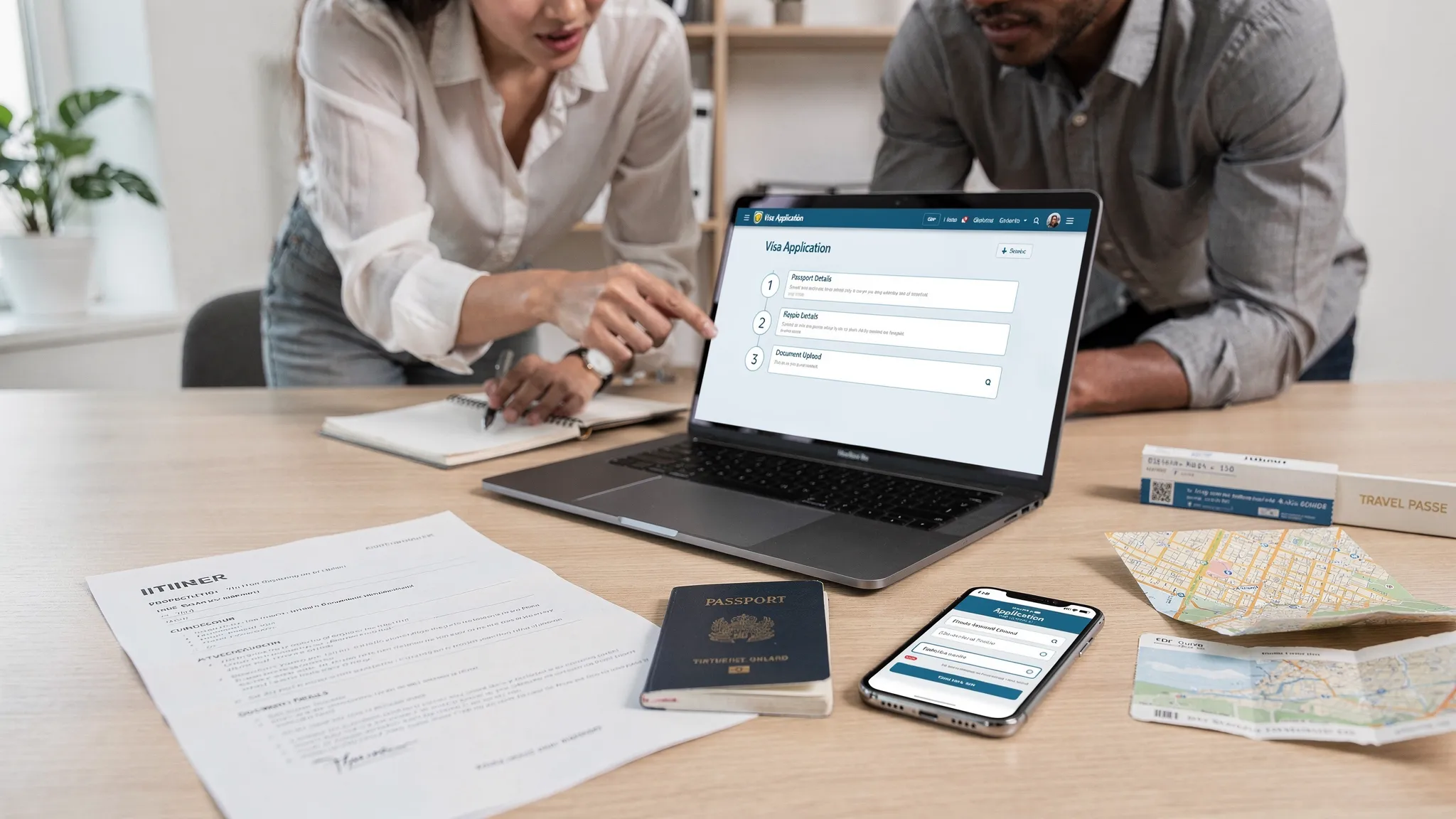
Visa application drop-off is one of the most expensive leaks in a travel funnel. It does not just reduce conversion, it also creates operational risk (denied boarding, last-minute rebooking) and quietly kills ancillary revenue that should be “easy attach” once a traveler is already committed to a trip.
This diagnostic checklist is designed for product, growth, CX, and operations teams at airlines, OTAs, TMCs, and tour operators. Use it to pinpoint where abandonment happens, why it happens, and which fixes to prioritize.
Before you start: define “visa application abandonment” for your business
Teams often talk past each other because “abandonment” can mean three different things:
- Eligibility drop-off: the traveler exits when they learn they might need an eVisa/eTA or more documents.
- Application-start drop-off: the traveler sees the form but never begins.
- In-form drop-off: the traveler starts, then exits at a specific step (passport details, document upload, payment, submission).
Align internally on one primary KPI and a small set of supporting metrics.
The minimum KPI set (so you can diagnose, not just observe)
| Funnel metric | What it tells you | Why it matters |
|---|---|---|
| Attach rate (visa offer shown → visa flow started) | Offer relevance and trust | Impacts ancillary revenue directly |
| Completion rate (started → submitted) | Core UX and technical friction | Indicates whether the workflow is survivable |
| Step conversion (per step) | Exact leak location | Turns “we’re losing users” into a backlog |
| Time per step | Confusion vs. friction vs. latency | A spike often points to unclear questions or slow services |
| Error rate per step | Validation and integration failures | High leverage fixes |
If you are not yet tracking step conversion and error rate, the rest of this article will still help, but you will be diagnosing with a blindfold.
Checklist 1: Instrumentation and data integrity (do this first)
Most “UX problems” in visa flows are actually measurement problems. Triage your tracking before you redesign anything.
1) Confirm you can reconstruct the entire journey
You should be able to answer, for any session:
- Which itinerary triggered the visa requirement (destination, transit points, dates)?
- Which passport nationality did the traveler select?
- Which device and browser were used?
- What step was last completed?
- What error message, if any, was shown?
If you cannot answer those consistently, fix the event model.
2) Audit event naming and duplicate counting
Common pitfalls:
- “Started application” fires on page load (inflates abandonment).
- Back-button loops create duplicate steps.
- Cross-domain handoff breaks sessions (especially if you send users to a different subdomain or provider).
A quick test: have 5 internal users complete the flow on different devices, then verify each journey looks identical in analytics.
3) Track “reason codes” for failures
Do not rely on generic “error” events. You want reason codes such as:
| Step | Example reason codes worth capturing |
|---|---|
| Passport details | MRZ parse failed, invalid expiry, name mismatch detected |
| Document upload | file too large, unsupported format, camera permission denied |
| Payment | 3DS challenge failed, issuer declined, currency mismatch |
| Submission | API timeout, upstream outage, validation rejected |
These codes convert weeks of guesswork into a day of prioritization.
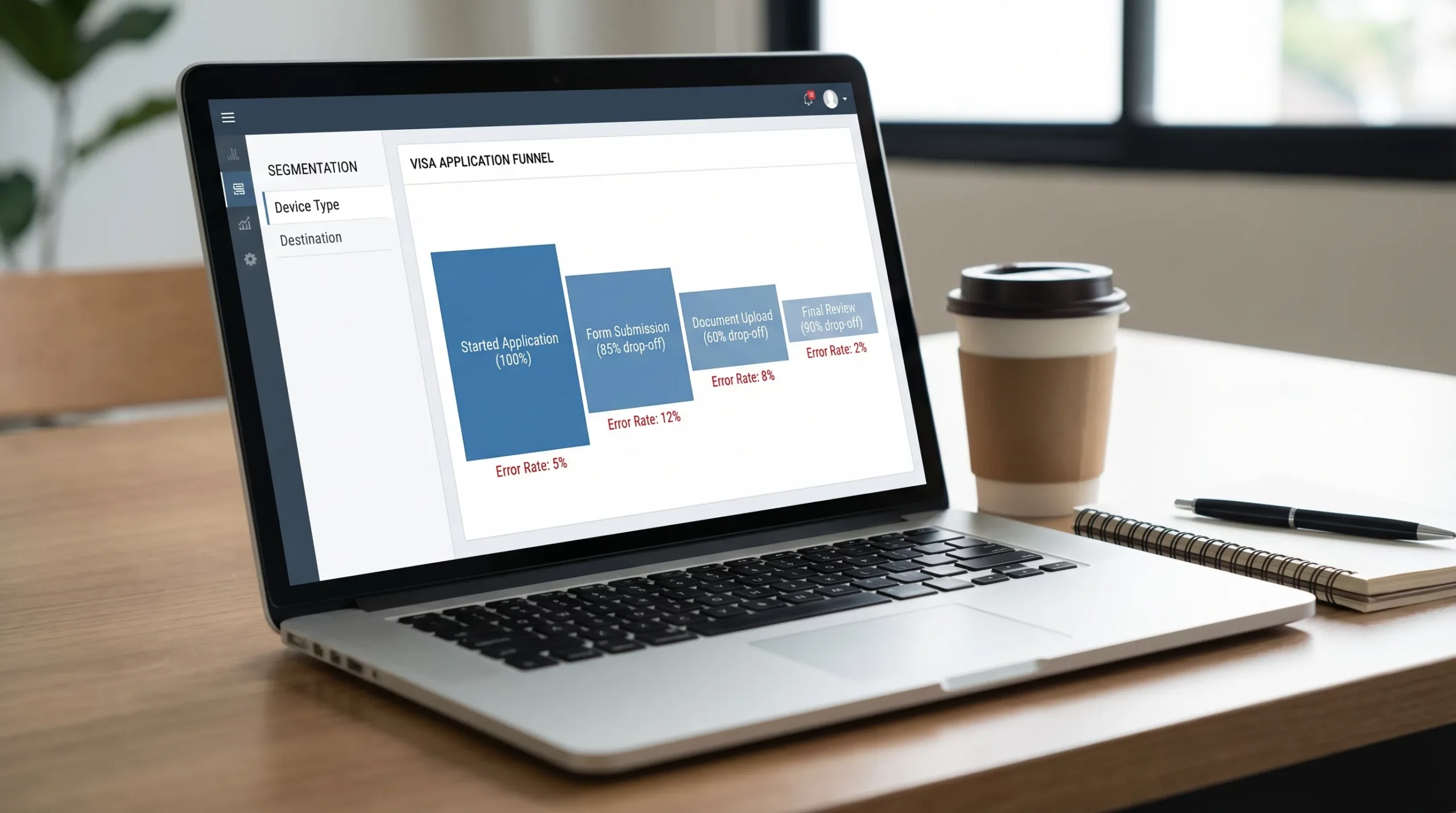
Checklist 2: Locate the leak (step drop-off triage)
Once tracking is reliable, you can do a high-signal triage in under an hour.
A) Find the first abnormal drop-off
Visa flows often have multiple leaks, but the first major drop-off usually dominates outcomes.
Use this rule of thumb: the earliest steep drop-off is typically a clarity or trust issue, while a later drop-off is typically a document, payment, or technical issue.
B) Segment by the fastest-to-diagnose dimensions
Start with segments that tend to reveal root causes quickly:
- Device: mobile vs desktop (document capture and payment behave very differently).
- Market and language: copy clarity and local payment methods matter.
- Destination: requirements vary drastically, one destination can poison the average.
- Time to departure: last-minute travelers behave differently and are less tolerant of friction.
If one destination or one device type is disproportionately responsible, you now have a contained problem.
Checklist 3: Diagnose by failure pattern (symptom → likely cause → test)
Use the table below as your “if this, then that” guide.
| Symptom you see in data | Likely root cause | Fastest validation test | Typical fix category |
|---|---|---|---|
| High exit on first screen (before any input) | Trust, pricing shock, unclear eligibility | Session recording review + short on-page poll | Trust signals, clearer promise, upfront fee breakdown |
| Drop-off spikes on mobile document upload | Camera permissions, file constraints, poor guidance | Try on 3 common phones + weak network | Mobile-first capture, clearer specs, compression |
| Long time on “Travel details” questions | Confusing wording (transit, entry date vs arrival) | Watch 10 recordings | Plain-language microcopy, examples, tooltips |
| High validation errors on names | Manual entry mismatches vs passport | Compare with typical passport MRZ format | Autofill from passport scan, stricter guidance |
| Payment step drop-off without errors | Currency mismatch, lack of preferred method, 3DS anxiety | Compare by card type/region | Add local methods, clearer 3DS explanation |
| Submission failures cluster in bursts | Upstream instability or throttling | Correlate with status logs and latency | Retries, queueing, status page, fallbacks |
Checklist 4: Eligibility and requirements clarity (the “Do I even need this?” problem)
A large share of abandonment happens before the traveler is convinced the visa step is necessary and legitimate.
Diagnostic questions
- Are you explaining why the traveler needs an electronic visa or travel authorization for this itinerary?
- Are you distinguishing eVisas vs eTAs vs consular visas in simple terms?
- Are you showing the traveler what they will need (documents, typical time) before asking them to commit?
Red flags
- The first screen leads with long legal text.
- You ask for personal data before explaining value, timing, and fees.
- You bury “processing time” until after payment.
Quick wins
- Put a one-paragraph eligibility summary at the top: destination, passport, travel dates.
- Add a “What you’ll need” preview (passport scan, photo, itinerary, etc.).
- Use plain-language labels: “Arrival date” instead of “Date of entry”, if your audience is mixed.
If you want a benchmark for how much friction a generic checkout can create, Baymard’s research on cart abandonment is a useful reference point for why clarity and trust matter in transactional flows (even before form length becomes the issue): Baymard Institute checkout research.
Checklist 5: Form UX and validation (reduce cognitive load, not just steps)
Visa applications feel “high stakes”, travelers assume one mistake can ruin their trip. That makes error handling and clarity far more important than in typical ecommerce.
Diagnostic questions
- Are you validating fields as the user types (and explaining how to fix errors)?
- Do you preserve inputs on refresh, back button, and session timeout?
- Are you asking questions in the same order as the traveler’s mental model (passport → trip → background), not your database schema?
High-impact friction points to check
| UX element | What to look for | Why it triggers abandonment |
|---|---|---|
| Date pickers | Hard to use on mobile, wrong formats | Users fear “wrong date” rejection |
| Address fields | Overly strict formatting rules | International formats do not fit US-centric validators |
| Travel history questions | Ambiguous definitions | Users do not know what counts as “visited” |
| Error messages | Generic, not actionable | Causes rework and loss of confidence |
A practical diagnostic move: list your top 10 validation errors by frequency and fix the top 3 first.
Checklist 6: Document capture and uploads (the most common “hard stop”)
Document steps are where many flows break, especially on mobile.
What to test (hands-on)
- Upload a high-resolution passport image from a modern phone.
- Upload a low-light photo (real travelers do this).
- Upload a file that is just over the size limit.
- Upload from mobile on cellular, not office Wi-Fi.
Common failure causes
- File size limits without compression.
- Unclear photo rules (background, glare, cropping).
- Camera permissions issues, especially in in-app browsers.
- Long upload times with no progress indicator.
Fix patterns that usually work
- Accept common formats and convert server-side.
- Provide a single sentence of guidance above the upload button (“No glare, full page visible, JPG or PNG”).
- Use a progress bar and autosave.

Checklist 7: Pricing, fees, and payment friction (the “surprise cost” trap)
Visa fees are uniquely sensitive because they often combine government fees, processing fees, and sometimes expedited options.
Diagnose pricing clarity
- Is the total price shown before the traveler invests effort?
- Is it clear what is refundable vs non-refundable?
- Do travelers see the currency they expect?
Diagnose payment reliability
- Track authorization failures separately from 3DS failures.
- Track payment method availability by region.
- Confirm the payment page loads quickly on mobile.
Even if the payment system is technically fine, abandonment can spike if travelers do not recognize the merchant descriptor or do not understand why extra verification (like 3DS) is happening.
Checklist 8: Performance and reliability (visa is a multi-system workflow)
Visa application journeys often depend on several systems:
- rules and eligibility data
- form workflow engine
- document storage
- payment provider
- submission and status tracking
You need to diagnose latency and errors as a distributed system, not a webpage.
Monitoring checklist
- Do you have step-level latency percentiles (p50, p95)?
- Do you alert on spikes in submission failures and timeouts?
- Do you log upstream responses (without storing sensitive data unnecessarily)?
Reliability patterns to implement
- Retries with backoff for safe operations.
- “Save and resume” for session timeouts.
- Clear status messaging when an upstream service is slow.
Checklist 9: Trust, privacy, and reassurance (especially at sensitive steps)
Travelers abandon when they feel uncertain about three things:
- Legitimacy: “Is this official or a scam?”
- Security: “Is my passport data safe?”
- Outcome: “Will this actually work in time?”
Quick trust audit
Check what appears on screen at the moments you ask for:
- passport number
- personal identity details
- payment
If those steps do not contain reassurance cues (secure processing, what happens next, support access), you are leaving conversion to chance.
Checklist 10: Rescue flows (recover sessions you already paid to acquire)
Even strong visa flows will have abandonment. The goal is to recover a meaningful share of it.
Must-have rescue mechanisms
- Save-and-resume link delivered via email or SMS (where permitted).
- Abandonment reminders that are contextual (“You still need a passport photo”).
- Support escalation from inside the step where users get stuck.
Where ancillary revenue fits in
Once a traveler completes a high-friction admin task (like a visa application), they are often receptive to “make the trip easier” add-ons. This is where travel brands can bundle logistics, for example offering a trusted airport car service alongside post-booking admin, without interrupting the core visa completion path.
Putting it into practice: a 7-day diagnostic sprint
Here is a simple execution plan you can run without a large redesign project.
| Day | Goal | Output |
|---|---|---|
| 1 | Validate tracking and funnel definitions | Clean step funnel, stable events |
| 2 | Segment drop-off (device, destination, market) | Top 2 segments driving abandonment |
| 3 | Review session recordings on the top leak step | Short list of user-blocking moments |
| 4 | Quantify error reasons and latency | Ranked backlog by impact |
| 5 | Ship 1 to 2 quick wins | Copy fixes, validation improvements, clearer pricing |
| 6 | Add rescue flow (save/resume, reminder) | Recovery lift baseline |
| 7 | Set monitoring and success targets | Dashboard + alert thresholds |
When a visa management platform becomes the simplest fix
If your diagnosis points to systemic issues (rules accuracy, step orchestration, document handling, status tracking, or the need to embed the flow directly into booking), it may be more efficient to use a specialized visa management platform rather than patching individual issues.
SimpleVisa supports travel businesses with:
- Visa processing automation and guided applications
- API integration for embedded booking flows
- A white-label visa application app for fast time-to-market
- Custom data services for border requirement logic
- Options for premium eVisa management and ancillary revenue generation
If your team is repeatedly fighting the same drop-offs across destinations, or if you need a no-code implementation path, it is usually a sign that the problem is bigger than UI tweaks.
For related strategies, see SimpleVisa’s guide on why travelers abandon visa forms and UX fixes that convert and the post on KPIs to track after deploying a visa management platform.
Frequently Asked Questions
What is the most common cause of visa application abandonment? The most common causes are unclear eligibility messaging, document upload friction on mobile, and surprise pricing or payment verification issues. The fastest way to confirm is step-level drop-off plus error reason codes.
How do I measure visa abandonment correctly? Track a step funnel from “visa offer shown” to “application submitted,” and record step conversion, time per step, and error reasons. Make sure “start” events are not firing on page load.
Why does mobile abandonment tend to be higher in visa flows? Mobile users hit more friction with document capture, file size limits, in-app browser limitations, and payment authentication (like 3DS). A mobile-first upload experience often creates the biggest lift.
What should I fix first, form length or document upload? Fix the first abnormal leak. If users are exiting before they start, prioritize clarity, trust, and pricing transparency. If they exit mid-flow, document upload and validation errors typically deliver the fastest gains.
Can rescue flows really recover abandoned visa applications? Yes, especially if your reminders are specific to the blocking step and you offer a true save-and-resume experience. Generic “finish your application” emails usually underperform compared to contextual nudges.
Reduce abandonment and turn visas into a reliable ancillary stream
If your funnel analysis shows recurring drop-offs across destinations, devices, or peak travel periods, it is often a sign you need a more automated approach. SimpleVisa helps travel brands embed guided visa applications via API, launch quickly with a white-label app, or use no-code options to streamline the entire journey.
Explore SimpleVisa at simplevisa.com to see which integration model fits your booking flow and operational setup.