How Airlines Reduce Denied Boarding With Visa Data
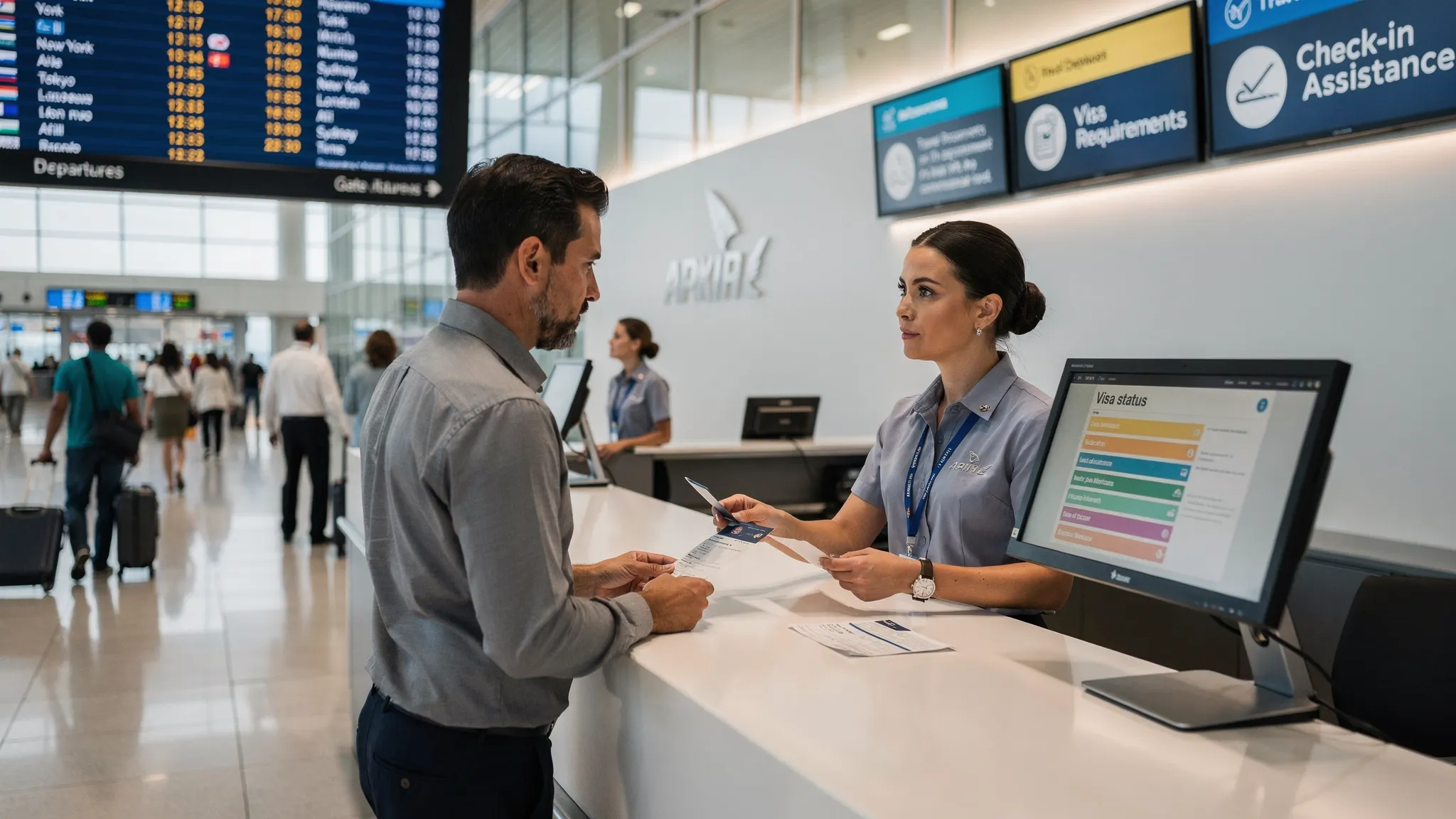
Visa-related denied boarding is one of the most preventable disruptions in airline operations. A traveler can have a valid ticket, a confirmed seat, and bags checked, yet still be stopped because an eVisa is missing, an ETA was not approved, a passport is too close to expiry, or the name on the authorization does not match the passport.
For airlines, this is not only a passenger experience issue. It affects airport queues, check-in workload, on-time performance, reaccommodation costs, partner handoffs, and compliance exposure. The good news is that most of these cases can be reduced when visa data is used earlier in the journey, not only at the airport counter.
This article uses “visa-related denied boarding” to describe cases where an airline cannot transport a traveler because required entry, transit, or travel authorization documents are missing, invalid, expired, inconsistent, or not yet approved.
Why visa-related denied boarding still happens
International travel requirements are more dynamic than most booking flows were designed to handle. A route may look simple from a flight inventory perspective, but border rules depend on many variables: passport nationality, destination, transit points, residence permits, length of stay, purpose of travel, document validity, prior travel history, and the exact travel date.
Airlines often verify travel documents through established sources and tools. For example, IATA Timatic is widely used in the industry to check passenger travel documentation requirements. Governments also rely on pre-arrival data programs, such as Advance Passenger Information, to support screening and border control. ICAO’s work on facilitation and border processes reflects the same broader trend: accurate traveler data is increasingly expected before the traveler reaches the border.
Yet denied boarding still happens because the data often arrives too late in the passenger journey. If an airline first discovers a missing electronic visa at online check-in or at the airport, the traveler may no longer have enough time to apply, correct errors, or receive approval. In many cases, the operational failure is not the rule itself, it is the timing of the rule being surfaced.
Common causes include:
- Visa requirements are shown only in generic travel advice, not personalized to the passenger.
- Transit visa rules are missed when travelers connect through third countries.
- eVisa and ETA applications are started too close to departure.
- Passengers use a different passport for booking, check-in, and visa application.
- Name, date of birth, or passport number mismatches are not detected early.
- Government rules change after booking but before departure.
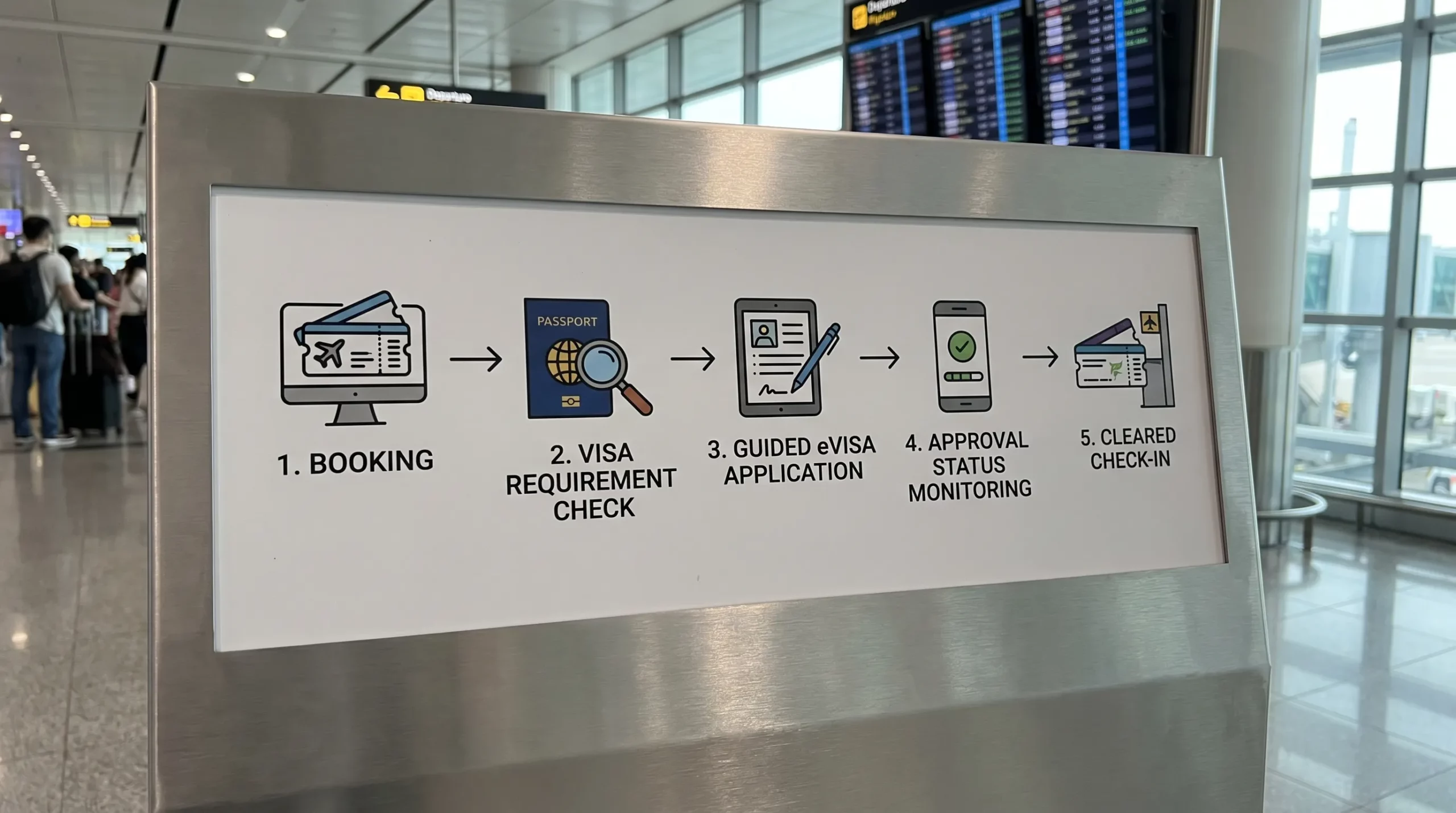
The airline that solves this problem does not simply “display visa information.” It creates a visa readiness workflow across the booking, post-booking, check-in, and airport journey.
What visa data airlines need to reduce denied boarding
The most useful visa data is not a static country list. Airlines need structured, passenger-specific, and operationally actionable data. In practice, that means the system should answer three questions for each traveler: What is required, what is missing, and what action should happen next?
| Visa data category | What it includes | How it helps airlines reduce denied boarding |
|---|---|---|
| Traveler identity data | Passport nationality, passport number, expiry date, date of birth, residence status | Personalizes requirements and catches passport validity risks early |
| Itinerary data | Origin, destination, transit airports, layovers, travel dates, length of stay | Identifies destination and transit visa obligations before check-in |
| Requirement data | Visa-free rules, eVisa availability, ETA rules, consular visa rules, supporting documents | Shows the correct action based on the passenger’s profile |
| Application data | Application started, submitted, pending, approved, refused, expired | Lets airlines monitor readiness and trigger reminders or support |
| Validation data | Name match, passport match, visa validity dates, permitted entries | Prevents travelers from arriving with an approval that cannot be used |
| Operational data | Risk flag, deadline, support status, “ready to travel” indicator | Helps check-in agents and digital systems make consistent decisions |
This is where travel document automation becomes powerful. Instead of making passengers interpret complex rules themselves, the airline can use data to guide the customer from eligibility check to completed authorization.
If you need a broader foundation, SimpleVisa’s guide to travel document automation explains how rule engines, dynamic workflows, tracking, and integrations work together.
Where airlines should use visa data in the journey
Airlines reduce denied boarding most effectively when visa data is embedded at multiple points. Each touchpoint has a different purpose: prevention, conversion, monitoring, validation, or recovery.
1. Search and booking: identify risk before payment
The best time to alert a traveler about visa requirements is before or during booking. At this stage, the traveler is still planning, comparing options, and deciding whether the trip is feasible.
A visa-aware booking flow can ask for minimal information, such as nationality, residence, destination, and travel dates, then return a personalized requirement summary. For example, the flow can indicate whether the traveler is visa-free, needs an eVisa, needs an ETA, or may require a consular visa.
This prevents two common problems. First, travelers are not surprised after they have already paid. Second, airlines can route travelers toward the right next step, such as applying for an electronic visa immediately or choosing a different itinerary if a transit requirement creates risk.
For airlines, this is also an ancillary revenue opportunity. When an eVisa or ETA is required, the airline can offer guided online visa processing inside the booking flow or immediately after purchase. Done well, this improves customer experience while creating a relevant add-on that directly supports trip completion.
2. Post-booking: turn visa requirements into tasks
After booking, visa data should become part of the passenger’s trip management journey. A generic “check your visa” email is easy to ignore. A personalized task is much more effective.
Instead of sending the same reminder to every international passenger, airlines can segment messages by readiness status. A passenger who is visa-free may need only a confirmation. A passenger who needs an ETA can receive a direct application link. A traveler whose eVisa is pending can receive status updates and reminders before the processing buffer becomes too tight.
This is especially important for long booking windows. A customer may book a trip months in advance, then forget that an authorization is still required. A post-booking visa workflow keeps the requirement visible until it is resolved.
A practical post-booking flow includes requirement confirmation, deadline reminders, document collection, application tracking, and escalation if an application is delayed or refused.
3. Online check-in: validate before issuing a boarding pass
Online check-in is often the last scalable digital checkpoint before the airport. If visa data is connected to the check-in flow, the airline can validate whether the traveler is ready before issuing a boarding pass.
This does not mean every passenger should be blocked by default. The objective is to create a clear decision path:
| Readiness status | Example condition | Recommended action |
|---|---|---|
| Cleared | Visa-free or approved authorization matches passport and itinerary | Issue boarding pass normally |
| Action needed | Required eVisa or ETA not started | Prompt immediate application if time allows |
| Pending | Application submitted but not approved | Show status and deadline guidance |
| Manual review | Name mismatch, passport mismatch, unusual transit rule | Route to agent or support team |
| Not travel-ready | Required authorization refused, expired, or invalid for itinerary | Do not issue boarding pass until resolved |
This structure reduces inconsistent decisions and prevents travelers from discovering a problem only at bag drop or the gate.
4. Airport check-in and gate: support agents with clear signals
Even with strong digital flows, airports still need operational clarity. Agents should not have to interpret long policy text while queues build. They need concise, source-backed signals that show what rule applies, what data was checked, and what the passenger must do next.
A useful visa data display for agents might include:
- Passenger requirement status
- Source timestamp or last rule update
- Passport and authorization match result
- Validity dates and entry count, where relevant
- Required next action
- Escalation path for exceptions
This helps frontline teams handle edge cases quickly. It also improves consistency across stations, codeshare partners, and outsourced ground handlers.
5. Disruption and rebooking: re-check requirements automatically
Visa readiness can change when an itinerary changes. A passenger who was valid for the original routing may need a transit visa after being rebooked through a different country. A missed connection can also turn a sterile transit into an overnight stay that triggers new entry requirements.
This is one of the most overlooked use cases for visa data. During irregular operations, agents are focused on capacity, schedule recovery, and customer care. Automated travel document checks can prevent a well-intentioned rebooking from creating a new border compliance problem.
For example, a disruption workflow can automatically re-check visa and transit requirements when the route changes, then flag itineraries that create document risk. This helps agents select safer rebooking options and reduces secondary disruption.
Static visa rules are not enough
Many airline websites already provide a link to travel document guidance. That is useful, but it is not the same as operational visa data.
Static guidance answers: “What might be required for this destination?”
Operational visa data answers: “Is this passenger ready to travel on this itinerary on this date?”
That distinction matters. A traveler may be eligible for an eVisa, but not have one. They may have an approval, but it may be linked to an old passport. They may have a multiple-entry authorization, but it may expire before the return segment. They may have a visa for the final destination, but not for a connection point.
Airlines reduce denied boarding when they move from information pages to status-aware workflows.
SimpleVisa supports this shift through visa processing automation, travel API integration, white-label visa application options, custom data services, guided customer applications, premium eVisa management, and no-code implementation options. For airlines, that means visa data can be embedded into existing booking or post-booking flows without forcing every passenger into a separate manual process.
To understand the technical side, read SimpleVisa’s guide on how eVisa APIs work or explore how travel APIs are evolving from flights to visas in a single call.
A practical implementation blueprint for airlines
Reducing denied boarding with visa data does not require every airline to start with a full departure control system integration. Many carriers begin with a targeted use case, then expand as they validate operational and commercial impact.
| Phase | Focus | Airline outcome |
|---|---|---|
| Phase 1 | Add personalized visa requirement checks to booking or post-booking pages | Travelers see requirements earlier and support teams receive fewer basic questions |
| Phase 2 | Offer guided eVisa or ETA applications through an embedded flow or white-label app | More passengers complete required documents before departure, while the airline can generate ancillary revenue |
| Phase 3 | Track application status and trigger reminders through email, SMS, app, or booking management | Fewer travelers arrive at check-in with unresolved authorization tasks |
| Phase 4 | Connect visa readiness to online check-in and airport workflows | Agents receive clear signals and denied boarding risk is reduced at the point of travel |
| Phase 5 | Add disruption and rebooking checks | Route changes are screened for new entry or transit document requirements |
The right starting point depends on the airline’s current systems, engineering capacity, route network, and risk profile. A carrier with high volumes to eVisa-heavy destinations may prioritize embedded online visa processing. A carrier with complex hub connections may prioritize transit visa rules. A leisure airline may start with post-booking reminders and no-code deployment, while a network airline may prefer an API integration.
Privacy and compliance considerations
Visa data is sensitive. It may include passport information, identity details, travel plans, and application status. Airlines must treat it as a controlled data set with clear consent, limited access, and strong security practices.
A responsible implementation should follow several principles:
- Collect only the data needed to determine requirements or support the application.
- Make it clear to travelers how their information will be used.
- Protect data in transit and at rest with appropriate encryption.
- Limit staff access based on role and operational need.
- Maintain audit logs for checks, status changes, and manual overrides.
- Define retention rules for passport and visa-related records.
- Use secure API authentication and monitor integration activity.
These controls are not just legal safeguards. They also build passenger trust. Travelers are more likely to complete an in-flow eVisa or ETA application when the experience feels secure, branded, and transparent.
For airlines evaluating vendors, security should be part of the procurement scorecard, not an afterthought. SimpleVisa’s article on security features in electronic visa solutions provides a useful checklist for technology and compliance teams.
KPIs to track after deploying visa data workflows
Airlines should measure both operational and commercial outcomes. Denied boarding reduction is the headline goal, but the supporting metrics reveal where the workflow is improving and where passengers still get stuck.
| KPI | What to measure | Why it matters |
|---|---|---|
| Visa-related denied boarding rate | Number of passengers refused carriage due to missing or invalid travel authorization | Shows whether the program is reducing the core operational problem |
| Requirement coverage | Share of international bookings with a personalized visa check completed | Measures how widely the data is being applied |
| eVisa or ETA application attach rate | Share of eligible passengers who start an application through the airline flow | Tracks ancillary adoption and customer engagement |
| Application completion rate | Share of started applications that are successfully submitted | Reveals UX friction in the visa application journey |
| Approval status visibility | Share of required travelers with known approved, pending, or unresolved status before check-in | Helps operations predict risk before departure day |
| Support contacts per visa-required booking | Volume of visa-related calls, chats, or tickets | Indicates whether automation is reducing manual service load |
| Online check-in exception rate | Share of travelers blocked or routed to manual review due to document issues | Identifies remaining rule, data, or customer education gaps |
Airlines should review these KPIs by route, nationality, destination, sales channel, and booking window. A route with high last-minute sales may need stronger instant eVisa prompts. A market with frequent passport mismatches may need better document scanning or autofill. A destination with changing rules may require more proactive post-booking alerts.
SimpleVisa’s guide to KPIs after deploying a visa management platform goes deeper into measurement and optimization.
The commercial upside: fewer failures, more relevant ancillaries
The primary reason to use visa data is to help passengers travel successfully. But there is also a clear commercial upside.
A missing visa can turn a completed booking into a failed trip. A guided visa application, offered at the right moment, can protect the booking, reduce support costs, and create a relevant ancillary revenue stream. Unlike generic add-ons, visa services are directly tied to trip feasibility. If the traveler needs an electronic visa, the service is not a distraction from the journey, it is part of completing the journey.
This is why border crossing solutions are becoming a strategic ancillary category for airlines. The value is not only the service fee. It is also the reduction in avoidable disruption, fewer airport escalations, better digital self-service, and a stronger sense that the airline is guiding the traveler from booking to boarding.
Frequently Asked Questions
How does visa data reduce denied boarding for airlines? Visa data reduces denied boarding by identifying entry, transit, and travel authorization requirements before the passenger reaches the airport. It allows airlines to show personalized requirements, guide eVisa or ETA applications, monitor approval status, and validate documents during online check-in.
What is the difference between visa information and visa data? Visa information is usually general guidance, such as whether a destination requires a visa. Visa data is structured and actionable. It connects rules to a specific passenger, passport, itinerary, travel date, and application status.
Can airlines generate ancillary revenue from visa workflows? Yes. When a traveler needs an eVisa, ETA, or similar authorization, airlines can offer guided online visa processing as a relevant ancillary service. The key is to present it as a helpful, timely requirement rather than a generic upsell.
Should visa checks happen at booking or check-in? Both matter. Booking and post-booking checks give travelers time to act, while online check-in and airport checks validate readiness before travel. The biggest reduction in denied boarding usually comes from moving requirements earlier in the journey.
What systems can visa data integrate with? Visa data can be integrated into booking engines, manage-booking pages, mobile apps, CRM messaging, online check-in, support tools, and airport workflows. Airlines may use APIs, white-label applications, no-code widgets, or custom data services depending on their technical needs.
Does an approved eVisa guarantee entry? No. Final entry decisions are made by border authorities. However, having the correct approved authorization, matched to the right passport and itinerary, significantly reduces the risk of airline denied boarding due to missing documentation.
Reduce visa-related denied boarding before passengers reach the airport
Visa issues should not be discovered at the gate. With the right visa data, airlines can guide travelers earlier, automate document workflows, reduce manual airport escalations, and create new ancillary revenue from services passengers genuinely need.
SimpleVisa helps travel businesses streamline visa application journeys through API integration, white-label visa applications, custom data services, guided customer applications, premium eVisa management, and no-code implementation options.
If your airline wants to reduce denied boarding and improve the border crossing experience, connect with SimpleVisa to explore the right visa data workflow for your routes, channels, and passengers.