How to Launch a Visa Upsell in 30 Days
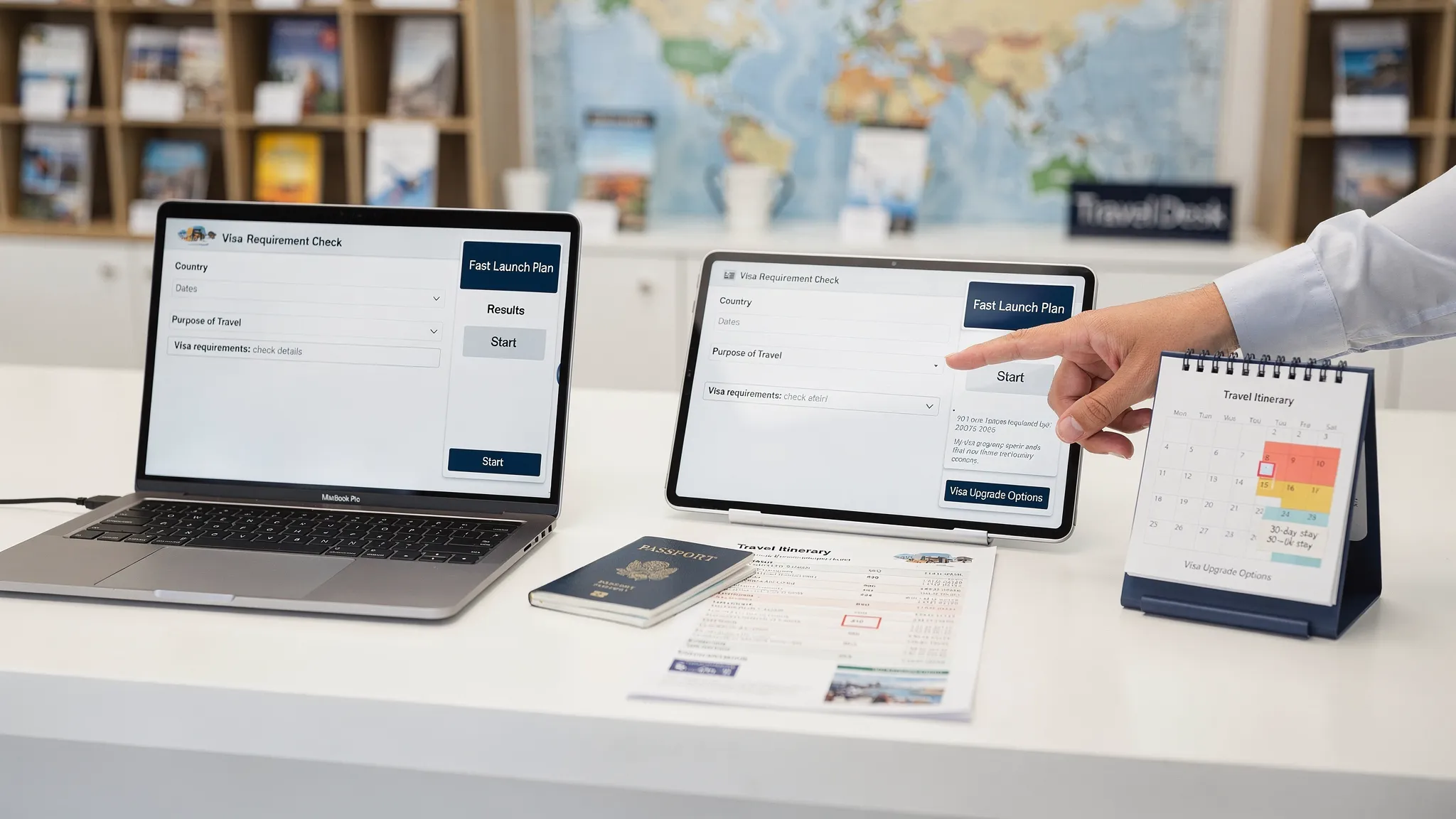
Visa and entry-document requirements are no longer a small post-booking detail. For airlines, OTAs, tour operators, cruise lines, and TMCs, they can affect conversion, support volume, customer confidence, and ancillary revenue.
The good news is that you do not need a six-month product roadmap to start. If you keep the first release focused and use an existing visa management platform, a practical visa upsell can go live in 30 days.
The key is to avoid treating the project as “just another add-on.” A visa upsell works when it is relevant, timely, transparent, and useful. It should help the traveler understand whether they may need an eVisa, ETA, or other entry document, then guide them to a safe online visa processing flow without derailing the booking.
What a visa upsell actually is
A visa upsell is a contextual offer for visa or travel authorization assistance based on the traveler’s itinerary, passport nationality, travel dates, and trip purpose. It is not a generic banner that says “buy a visa.” It is a targeted service that appears when the traveler has a real need.
For example, a customer booking a trip from New York to Nairobi may need a different entry document than a customer booking London to Paris. A strong visa upsell identifies that difference automatically and presents the right next step.
A well-designed upsell usually includes three elements:
- A requirement check that tells the traveler whether they may need an eVisa, ETA, or visa support.
- A guided visa application flow that reduces confusion and document errors.
- A clear commercial model that generates ancillary revenue while protecting trust.
This matters because border rules keep changing. Travelers now encounter digital authorizations such as the UK ETA, eVisas, and future systems such as ETIAS. Travel businesses that surface these requirements early can reduce anxiety, help customers prepare, and create a useful revenue stream at the same time.
Can you really launch in 30 days?
Yes, if you define the launch correctly.
A 30-day launch is realistic when you use a third-party border crossing solution, start with a limited set of routes or destinations, and choose a delivery model that matches your engineering capacity. It is not realistic if you plan to build visa rules, application workflows, payments, support operations, and government submission logic from scratch.
Here is the practical difference:
| Launch model | Best for | Engineering effort | 30-day fit |
|---|---|---|---|
| No-code or hosted white-label app | Fast validation and minimal product work | Low | Strong |
| Embedded widget | Checkout, manage-booking, or post-booking pages | Low to moderate | Strong |
| Travel API integration | Full control inside your own booking flow | Moderate to high | Possible with narrow scope |
| Fully custom build | Proprietary long-term infrastructure | Very high | Poor for a first launch |
If speed is the priority, start with a no-code or white-label approach, then move deeper into API integration after the business case is proven. If your team is still comparing models, SimpleVisa’s guide to API vs. white-label visa integration is a useful next read.
The 30-day visa upsell roadmap
A fast launch works best when every week has one clear outcome. The goal is not perfection. The goal is to ship a safe, measurable, commercially useful first version.
| Timeline | Main focus | Key output |
|---|---|---|
| Days 1 to 3 | Commercial goal and launch scope | Target routes, audiences, success metrics |
| Days 4 to 7 | Integration and data requirements | Chosen model, required fields, ownership map |
| Days 8 to 12 | UX, messaging, and offer placement | Booking and post-booking copy, wireframes, triggers |
| Days 13 to 18 | Configuration, pricing, and analytics | Product setup, fee logic, event tracking |
| Days 19 to 23 | Support, compliance, and operations | Help scripts, escalation rules, policy disclaimers |
| Days 24 to 27 | QA and pilot testing | Test cases, bug fixes, launch checklist |
| Days 28 to 30 | Soft launch and optimization | Live cohort, first KPI review, iteration plan |
Let’s break that down.
Days 1 to 3: choose the right launch scope
The biggest mistake travel brands make is trying to launch every destination, every passport, and every customer segment at once. That slows down approvals, increases edge cases, and makes performance harder to interpret.
Start with a narrow use case where the visa need is obvious and the customer value is high. Good first candidates often include routes with mandatory eVisas, destinations with short booking windows, or markets where travelers frequently ask support teams about entry requirements.
Your launch scope should answer five questions:
- Which routes or destinations will be included in the first release?
- Which passport nationalities will be eligible for the offer?
- Which traveler segments are in scope, such as leisure, business, groups, or cruise passengers?
- Where will the offer appear, such as checkout, confirmation page, email, or manage booking?
- What does success look like after 30, 60, and 90 days?
Do not skip the success metrics. A visa upsell should be evaluated like any other ancillary product. At minimum, define your target attach rate, ancillary revenue per booking, application completion rate, support-ticket impact, and customer satisfaction signal.
For a deeper KPI framework, see SimpleVisa’s guide to tracking performance after deploying a visa management platform.
Days 4 to 7: select the integration model
Once the scope is clear, choose the simplest integration model that can deliver the experience you need.
A white-label visa application app is often the fastest option because travelers can move from your booking flow into a branded application environment without your team building the entire application experience. A no-code implementation can also work well for teams that want to validate demand before committing engineering resources.
A travel API gives you more control. It lets you surface visa eligibility, pricing, and application steps inside your own product experience. The tradeoff is that API work requires more planning around data mapping, authentication, tracking, error handling, and support handoffs.
At this stage, align on the minimum data fields needed to personalize the offer:
| Data field | Why it matters | Common source |
|---|---|---|
| Passport nationality | Determines eligibility and requirements | Traveler profile or checkout field |
| Destination and transit points | Identifies entry-document rules | Booking itinerary |
| Travel dates | Checks validity and processing windows | Booking engine |
| Trip purpose | Distinguishes tourism, business, transit, or other cases | Short post-booking question |
| Passenger count | Supports families and group applications | PNR or booking record |
Avoid asking for sensitive information before it is needed. In many cases, you can show a requirement prompt based on nationality, destination, and dates, then collect additional details only when the traveler starts the visa application.
If your team wants a low-lift launch, this related guide explains how to offer white-label visa services without writing code.
Days 8 to 12: design the upsell experience
A visa upsell should feel like a helpful travel service, not a fear-based interruption. The best placement depends on your booking journey, but the highest-performing moments usually share one trait: the traveler has committed to a destination and is already thinking about trip readiness.
Common placements include checkout, the booking confirmation page, manage booking, pre-departure emails, SMS reminders, and mobile app notifications. Checkout can capture high intent, but it must be designed carefully so it does not distract from the primary purchase. Post-booking placements are often easier to launch quickly and can still convert well if reminders are timely.
Use plain language. Travelers do not want immigration jargon. They want to know whether they need to act, how long it may take, what documents they should prepare, and whether the process is secure.
| Touchpoint | Copy goal | Example message |
|---|---|---|
| Checkout | Raise awareness without slowing the booking | “Your destination may require an eVisa or travel authorization. Check requirements after booking and apply online when eligible.” |
| Confirmation page | Drive immediate action | “Next step: check entry requirements for your trip to [Destination]. Guided online application available.” |
| Email reminder | Prevent last-minute issues | “Before you travel, confirm whether your passport requires an eVisa or entry authorization.” |
| Manage booking | Offer ongoing access | “Review travel documents and visa options for your itinerary.” |
Two rules matter here. First, never imply that purchasing the service guarantees entry. Final admission decisions are made by border authorities. Second, be transparent about fees, service charges, processing expectations, and refund policies before payment.
Days 13 to 18: configure pricing, tracking, and commercial rules
By the middle of the project, the commercial and tracking layer should be ready.
Your pricing model may be a flat service fee, revenue share, markup, or bundled premium service. The right structure depends on your brand, customer base, and partner terms. Whatever you choose, make sure the traveler can clearly distinguish government charges, service fees, and optional premium support.
If you are comparing commercial structures, SimpleVisa’s overview of revenue-sharing models for online visa processing partners can help your finance and partnerships teams align.
You should also define tracking events before launch. Otherwise, the first month of data will be difficult to interpret.
Core events to track include offer shown, offer clicked, eligibility check started, application started, document upload completed, payment completed, application submitted, approval received, refusal received, refund requested, and support contacted.
A simple revenue formula can help stakeholders understand the opportunity:
| Variable | Meaning |
|---|---|
| Eligible bookings | Bookings where a visa or travel authorization offer is relevant |
| Offer view rate | Percentage of eligible travelers who see the upsell |
| Attach rate | Percentage of viewers who start or purchase the service |
| Net revenue per application | Your retained revenue after partner costs, refunds, and taxes |
| Monthly upsell revenue | Eligible bookings x offer view rate x attach rate x net revenue per application |
The benefit of this model is that it keeps the launch grounded. You do not need unrealistic conversion assumptions. You need a measurable path to improvement.
Days 19 to 23: prepare support and compliance workflows
Visa-related questions can become sensitive quickly. A traveler may be worried about a typo, an approaching departure date, a missing document, or a delayed decision. Your support team needs clear boundaries and escalation rules before the upsell goes live.
At a minimum, prepare scripts for these scenarios:
- The traveler is unsure whether they need an eVisa or ETA.
- The traveler entered the wrong passport number or name.
- A document upload fails or is rejected.
- The traveler paid but has not received a status update.
- The application is refused or requires additional review.
- The traveler departs within 24 to 72 hours.
Support teams should also know what not to say. They should not guarantee approval, provide legal advice, or override official government requirements. Instead, they should guide travelers through the process, explain where information came from, and escalate complex cases to the appropriate support channel.
For brands that are scaling support operations, SimpleVisa’s guide on training customer support teams on eVisa rules provides a useful structure.
Days 24 to 27: run QA like a border document product, not a banner test
A visa upsell touches customer data, payments, eligibility logic, and travel compliance. QA should be more rigorous than a typical merchandising placement.
Test common journeys first. Use different passport nationalities, destinations, travel dates, devices, browsers, currencies, and passenger counts. Include edge cases such as multi-leg trips, short departure windows, duplicate passenger names, minors, and expired passports.
Your QA checklist should include:
- Eligibility result is accurate for the selected test scenario.
- Offer appears only when relevant.
- Traveler can complete the flow on mobile.
- Pricing and fee disclosures are visible before payment.
- Confirmation emails and status messages are delivered.
- Support links and escalation paths work.
- Analytics events fire correctly.
- Data collection matches your privacy and consent requirements.
If you are launching through an embedded widget, you can also review SimpleVisa’s quick tutorial on embedding an eVisa widget for practical implementation considerations.
Days 28 to 30: soft launch, monitor, and iterate
Do not launch to 100% of traffic on day one unless the use case is extremely narrow and low risk. A soft launch gives you room to monitor conversion, support tickets, and technical behavior before scaling.
A good first cohort might be one destination, one market, one brand site, or one post-booking email segment. Monitor performance daily during the first week.
Your first dashboard should answer these questions:
| Question | Metric to watch |
|---|---|
| Are travelers seeing the offer? | Offer view rate |
| Are they engaging? | Click-through rate and attach rate |
| Are they completing the process? | Application completion rate |
| Is the flow creating friction? | Booking abandonment and support contact rate |
| Is the business case working? | Ancillary revenue per eligible booking |
| Are travelers getting outcomes? | Approval rate and resolution time |
Use the first 30 days after launch to test placement, wording, and timing. For example, compare a confirmation-page offer against an email reminder, or test “Check entry requirements” against “Apply for your eVisa.” Small wording changes can have a meaningful effect because visa services are high-trust products.
Common mistakes that delay a visa upsell launch
A 30-day launch is as much about avoiding complexity as it is about moving quickly.
The most common mistakes are launching too many destinations at once, asking for too much traveler data too early, hiding fees until the end of the flow, placing the offer after the traveler has stopped paying attention, and treating visa rules as static content.
Another mistake is separating the visa upsell from customer support. If a traveler cannot get help when something goes wrong, the ancillary product can damage trust. Build support readiness into the launch plan, not after it.
Finally, do not treat the upsell as purely commercial. The best visa upsells improve the customer journey. They help travelers understand requirements earlier, reduce last-minute confusion, and position your brand as a more complete travel partner.
Where SimpleVisa fits into a 30-day launch
SimpleVisa helps travel businesses add visa and border-crossing services without building the full infrastructure from scratch. Depending on your needs, teams can use visa processing automation, API integration, a white-label visa application app, custom data services, guided customer visa applications, and no-code implementation options.
That flexibility matters during a 30-day launch. You can start with a fast deployment model, validate customer demand, generate ancillary revenue, and then move toward deeper integration as the business case grows.
SimpleVisa is also designed for travel companies that need to embed visa support into booking flows or partner experiences, rather than sending customers into a disconnected process. The result is a more useful journey for travelers and a clearer commercial opportunity for the brand.
Frequently Asked Questions
Can a travel business really launch a visa upsell in 30 days? Yes, if the first release is focused and uses an existing visa management platform. A narrow launch with selected destinations, clear data inputs, and a white-label or no-code model is much more realistic than building a custom system from scratch.
Where should a visa upsell appear in the booking journey? The best placements are usually checkout, booking confirmation, manage booking, and pre-departure emails. Checkout captures intent, while post-booking placements reduce risk of interrupting the primary booking conversion.
Should we use an API or a white-label visa application app? Use a white-label or no-code option if speed is the priority. Use a travel API if you need deeper control over UX, data, and booking-flow logic. Many brands start with white-label and move to API integration after proving demand.
How do we avoid hurting booking conversion? Keep the offer contextual, optional, and clearly worded. Do not force every traveler through a visa form. Show the upsell only when relevant, and place deeper application steps after the core booking is secure if conversion risk is a concern.
What KPIs should we track after launch? Track offer view rate, click-through rate, attach rate, application completion rate, ancillary revenue per booking, approval rate, support contact rate, and customer satisfaction. These metrics show both commercial performance and traveler experience.
Does an approved eVisa guarantee entry? No. An eVisa or travel authorization allows the traveler to seek entry, but final admission is determined by border authorities. Your messaging should make this clear before purchase.
Launch your visa upsell with less friction
A successful visa upsell does more than add another product to checkout. It helps travelers understand entry requirements, complete applications with less stress, and prepare for border crossing with more confidence.
If you want to launch in 30 days, SimpleVisa can help you choose the right approach, from no-code and white-label options to API integration and custom data services. Explore SimpleVisa’s border crossing solutions at SimpleVisa.com and start building a visa upsell that supports both your customers and your ancillary revenue strategy.