Contact Us Visa Queries: Best Way to Escalate
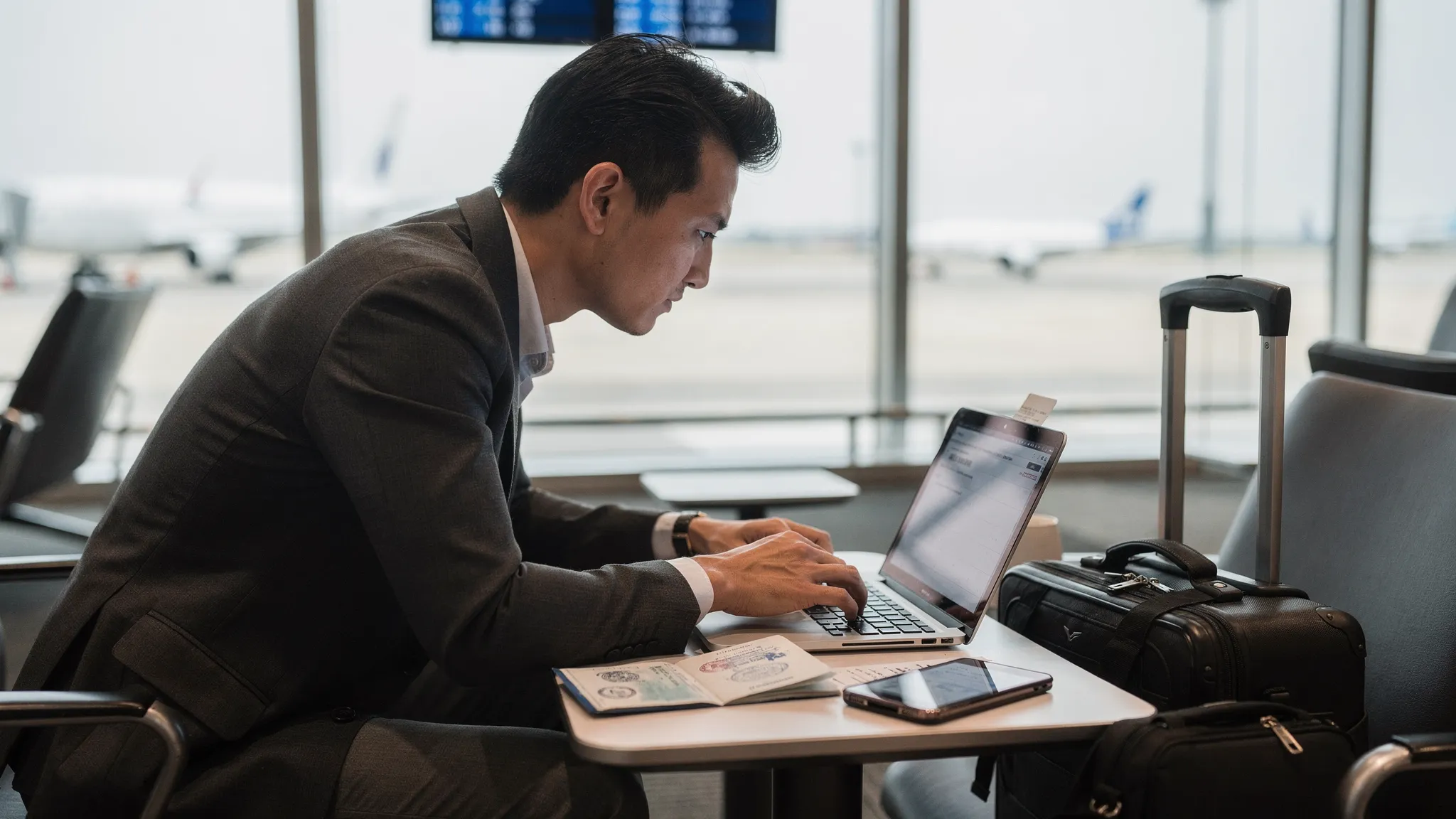
If your visa or travel authorization is time sensitive, knowing exactly how to escalate a support request can be the difference between wheels up and a denied boarding. This guide shows the fastest, most effective way to escalate visa queries, what to include in your message so it gets prioritized, and when to involve an embassy versus a platform like SimpleVisa.
The 10‑minute prep that makes any escalation work
Before you hit contact us for visa queries, assemble a complete case file. This reduces back‑and‑forth and pushes your request to the front of the queue.
Have these items ready:
- Application ID or case number, plus the email used to apply
- Full name as on passport, passport number and issuing country, and passport expiry date
- Destination country, travel purpose, and planned entry date
- Flight or trip reference, airline or OTA booking reference, and departure time in local time
- A concise description of the issue with screenshots or PDFs of errors or requests for evidence
- Recent actions taken, for example, “reuploaded photo, paid fee again,” with timestamps
- Any government correspondence, RFE letters, or refusal notices
- Your preferred outcome, for example, “expedite to meet flight on 12 Feb, 09:40 AM”
Pro tip: use a clear, scannable subject. Example: [ESCALATE] Flight in 48h, Application SV‑A12987, Kenya eVisa, Payment error 102.
If you are still gathering documents, this checklist can help you avoid the most common blockers: Checklist: Everything You Need Before Submitting an Online Visa Application.
Fastest channel by situation
In most cases, the right channel depends on where you are in the journey. Use this table to pick the quickest path.
| Situation | First step | When to escalate | Where to escalate | Notes |
|---|---|---|---|---|
| You are applying inside a partner booking flow | Use in‑flow chat widget on the visa step | No response in a reasonable window or flight within 72 hours | Partner help center form or the SimpleVisa ticket route used by the partner | Include booking reference and Application ID |
| You submitted through a white‑label portal | Check status in your portal dashboard, then use the in‑app message tool | Status unchanged for 48 hours on time‑sensitive trips, or error loop | Open a priority ticket with your case number | Attach screenshots of the status page and timestamps |
| Payment failed or double charged | Retry with a 3‑D Secure card, then contact support with error code | Immediate if departure within 7 days | In‑flow chat or ticket form with payment receipt and last 4 digits of card | Never send full card numbers by email |
| Document rejected repeatedly | Review specs, reupload, then contact with the rejection reason | After 2 failed uploads or if departure is near | Ticket with original file and a revised version | Mention device and file type |
| Government requested more evidence | Upload evidence through the official link, then inform support | Immediately after upload | Ticket with upload confirmation and deadline | State deadline time zone |
| You received a refusal | Review refusal reason and appeal options | If reapplication or alternative route is possible | Ticket to discuss next best step | Some refusals require embassy action |
| At the airport, visa not visible to airline | Ask airline agent to refresh their DCS, then contact support | Immediate if boarding soon | In‑flow chat plus a ticket with PNR and airline code | Carry printed eVisa as fallback |
For a general overview of SimpleVisa’s support options and when to use each, start here: Visa Contact Us: Get Instant Support.
Escalation tiers that actually get results
Think in tiers so you do not waste time repeating the same step.
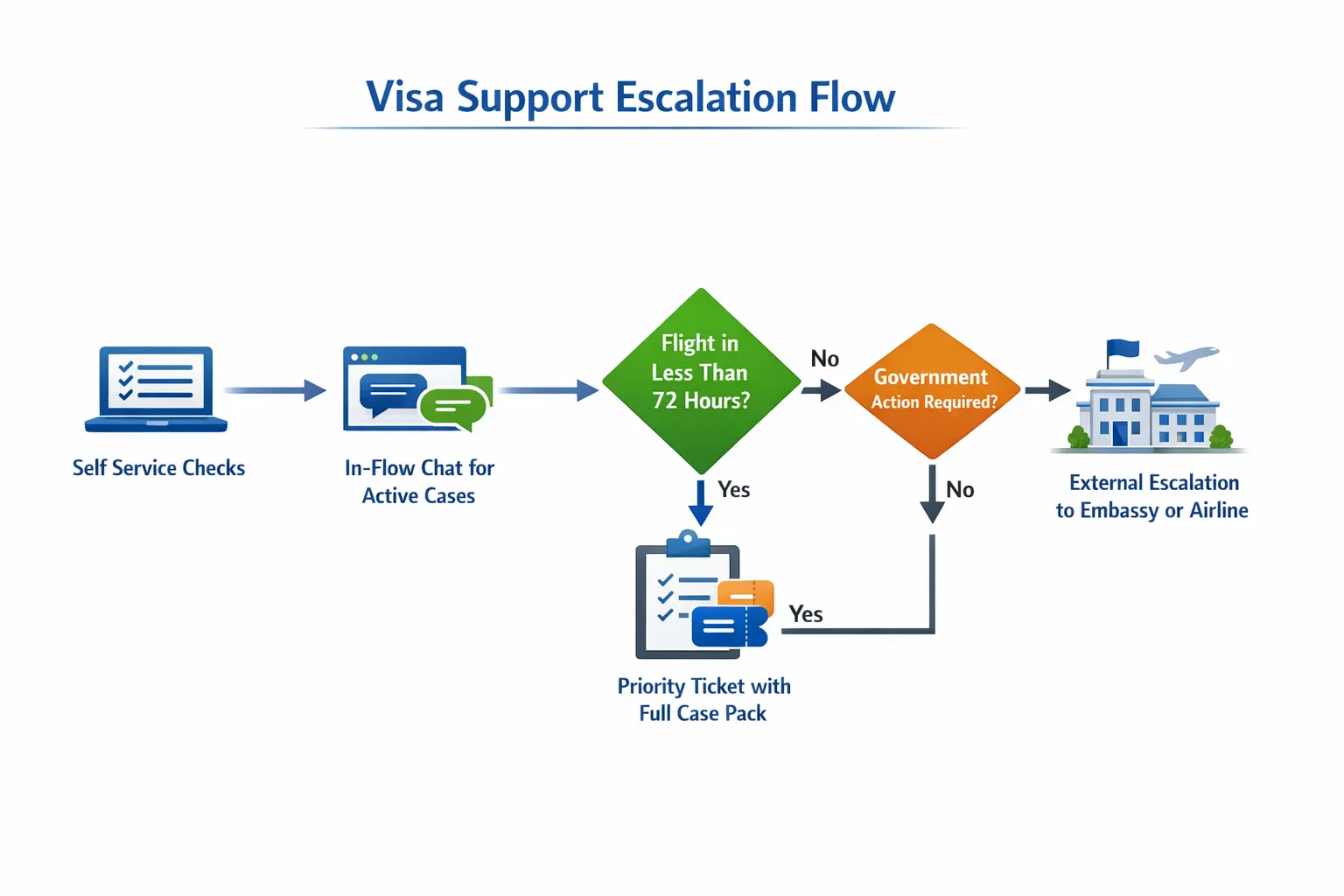
- Tier 0, self service: Recheck status in your portal, clear cache, try a different browser, confirm your email verification, and validate file sizes and formats. If it is a brand new application, re‑run eligibility. See how to avoid common safety pitfalls here: Travel Visa Online: How to Apply Safely.
- Tier 1, live agent: Use the in‑flow chat if you are inside a booking or portal. This is fastest for active applications because the agent already sees your context.
- Tier 2, priority ticket: Open a ticket with complete case data. Mark urgency with a precise flight time and attach evidence. Keep all replies in the same thread.
- Tier 3, external escalation: For consular visas, RFEs that require an embassy action, or legal appeals, you will contact the issuing authority or a local mission. For airport day‑of‑travel issues, loop in the airline with your PNR so they can refresh DCS or check Timatic notes. Support can advise which path applies to your case, but government turnaround is outside any platform’s control.
Set realistic clocks for each tier. If a flight is inside 72 hours, go straight to chat plus a ticket. If it is inside 24 hours, add “airport escalation” in the subject and provide a reachable phone number for the check‑in desk.
What to include in an escalation message, with a copy‑and‑paste template
Most delays happen because critical details are missing. Use this template to speed triage.
Subject: [ESCALATE] Flight in
Message body:
- Applicant name, passport number, issuing country, expiry:
- Application ID and the email used to submit:
- Trip info, airline or OTA booking reference, departure date and local time:
- Problem summary in one line: <example, status stuck at payment pending>
- What I already tried, with timestamps: <example, reuploaded photo 10:32, retried payment 10:41>
- Attachments: <screenshots, receipts, RFE PDF>
- Outcome requested by when: <example, confirm issuance or alternative by 18:00 today>
- Alternate contact, if airport agent needs to speak:
When to contact an embassy instead of a platform
Some issues cannot be accelerated by a visa platform and must go to the issuing authority.
Contact a consulate or embassy when:
- You must attend biometrics or an interview, no platform can waive that requirement
- You need a formal appeal or administrative review after a refusal
- Your passport was lost or replaced during processing, and the government must relink the case
- The issuing portal is down nationwide or rejects your passport range, which indicates a system outage
If your case falls in one of these buckets, support can point you to the correct official contact page and provide the references you will need, but the decision timeline is set by the government.
Common escalation mistakes to avoid
- Opening multiple tickets for the same issue, which splits your case history and slows the response
- Sending photos of screens instead of clean PDFs, which can be rejected by automated checks
- Forwarding long email chains without a clear top summary
- Sharing full card numbers or CVV by email, which is unsafe, share masked details only
- Leaving out the flight time or PNR when time is critical
For travel businesses and OTAs, build a one‑page escalation SOP
A concise standard operating procedure protects revenue and reduces last‑minute drama.
Your SOP should include:
- A single internal form that captures Application ID, PNR, passport country, departure time, and the issue code
- Routing rules, for example, flight inside 48 hours goes to Tier 1 chat plus Tier 2 ticket with an [ESCALATE] subject tag
- A macro library with prewritten subject lines and the message template above
- Webhook alerts on status changes, so your team sees stuck cases and can act before customers call
- A post‑mortem tag for denials that triggers a one‑click reapplication or alternative destination offer
Train agents on eVisa rules with a focused program. This 7‑day plan can get teams production ready: How to Train Customer Support Teams on eVisa Rules in One Week.
If you integrate programmatically, secure the handoff. Follow these practices when calling the API and managing webhooks: Developer Q&A: Best Practices for Authenticating Against the SimpleVisa API.
Escalation triggers and the proof to attach
| Trigger | What to attach | Why it matters |
|---|---|---|
| Flight in 72 hours or less | Flight confirmation with local times, PNR, and airline code | Helps agents coordinate with airline day‑of‑travel teams |
| Payment error or duplicate charge | Screenshot of error code, masked card digits, payment receipt | Enables rapid reconciliation and avoids double billing |
| Document rejection | Original file and a revised file, plus the rejection note | Allows manual override or precise guidance |
| Government RFE or clarification | Full RFE letter or message and what you uploaded in response | Lets support cross‑reference with the issuing system |
| Portal outage or technical loop | Screen recording or timestamped screenshots, device and browser | Helps identify platform issues versus government outages |
Data privacy and security tips during escalation
- Use the in‑app chat or ticket form instead of unsecured email whenever possible
- Never include full card numbers or CVV, share masked digits and receipts only
- Redact unrelated IDs in attachments, for example, loyalty numbers
- Keep all correspondence in a single thread so audit logs are complete
Quick recovery paths if time runs out
If an approval is unlikely before departure, ask support about recovery options. Depending on destination rules, options can include rerouting through a visa‑free hub, adjusting dates to fit visa validity, or switching to an eligible destination. For a deeper primer on how to triage by market, the US focused guide is a good reference: Visa Customer Service US: How to Get Answers Fast.
Frequently Asked Questions
What is the fastest way to escalate an urgent visa query? Use the in‑flow chat for active applications and open a priority ticket that includes your Application ID, PNR, flight time, and error screenshots, then keep replies in a single thread.
How soon should I escalate before my flight? As soon as your departure is within 72 hours or if you receive an RFE with a tight deadline. If you are inside 24 hours, use chat plus a priority ticket and provide a reachable phone number for the check‑in desk.
Can SimpleVisa expedite a government decision? Support can prioritize your case and confirm that everything on your side is complete, but final decisions and certain timelines are controlled by the issuing authority.
Should I open multiple tickets for the same issue? No. One well documented ticket is processed faster than several partial requests. Multiple tickets can slow resolution.
Do I contact an embassy or SimpleVisa first after a refusal? Start with your platform so you understand next best steps. If a formal appeal or administrative review is required, you will then contact the embassy with the correct references.
What if the airline cannot see my approved eVisa at check‑in? Ask the agent to refresh their DCS and verify data entry. Share your PNR and show a printed copy of the eVisa. Contact support immediately with your PNR and flight time.
Make escalations the exception, not the rule
Most escalations are preventable with accurate forms, correct document specs, and early applications. If you are still planning a trip, apply safely online with this step‑by‑step guide: Travel Visa Online: How to Apply Safely.
Ready to escalate an active case now, or want to design a robust escalation SOP for your travel business?
- Travelers, get help here: Visa Contact Us: Get Instant Support
- Travel brands, add compliant visa support and escalation flows to your booking journey via API, white‑label app, or a no‑code widget. SimpleVisa is already embedded on 400 plus sites. Book a discovery call at SimpleVisa to learn more.