Electronic Visa Online: Timing, Costs, and Documents

Visa requirements have changed quietly but dramatically over the last few years. For many destinations, the fastest route is now an electronic visa online (or a digital travel authorization), submitted through a portal, approved electronically, and linked to your passport.
That convenience is real, but it comes with new failure points: applying too late, budgeting for only the government fee, or uploading the wrong document format. This guide focuses on the three things that most often decide whether your trip stays smooth or turns into a last-minute scramble: timing, costs, and documents.
First, confirm what you actually need (eVisa vs. eTA vs. consular visa)
“Online visa” is often used as a catch-all, but there are different document types with different timelines and requirements.
- eVisa (electronic visa): A visa issued digitally after you submit an application and supporting documents online. Often used for tourism, business visits, or specific activities.
- eTA / ETA / ESTA-style authorization: A pre-travel authorization for visa-exempt travelers. Typically faster, usually fewer documents, but strict on eligibility.
- Consular or sticker visa: The traditional process (forms, appointments, biometrics, interviews). Sometimes partially online, but not fully digital end-to-end.
If your team sells travel (OTA, airline, tour operator), this distinction matters because the “right” customer guidance and expected lead time can change completely depending on the document class.
Timing: when to apply for an electronic visa online
The best timing is not “as early as possible.” It is early enough to absorb delays, but not so early that your visa validity window expires before departure (some visas are valid from issue date, not travel date).
What affects online visa processing time?
Processing time is set by the destination, but in practice it fluctuates based on factors like:
- Destination rules: Some programs are almost fully automated, others require human review.
- Your nationality and travel history: Some applicants are more likely to be routed to manual checks.
- Seasonality: Peak travel months can extend processing timelines.
- Document quality and “requests for more info”: The most common cause of delays is not “slow immigration,” it is missing or non-compliant documents.
- Name or passport-data mismatches: Even a missing middle name can trigger extra review. (If you want a practical fix guide, see Handling Name Mismatches on Tickets, Passports, and eVisas.)
A practical planning window (with buffer)
Because each country differs, use buffer-based planning rather than relying on a single “official” number.
| Document type (common scenario) | Typical decision speed | Apply this far ahead (recommended) | Why this buffer works |
|---|---|---|---|
| Fast travel authorization (eTA/ETA/ESTA-style) | Minutes to 72 hours | 7 days | Covers manual review, payment issues, and last-minute itinerary changes |
| Standard tourist eVisa | Several business days | 3 to 4 weeks | Covers document re-uploads, peak demand, and customer delays |
| Higher-friction eVisa (more docs, possible checks) | 1 to 4+ weeks | 6 to 8 weeks | Covers additional document requests and longer verification cycles |
| Consular visa (appointments/biometrics/interviews) | Weeks to months | 2 to 4 months+ | Appointment availability and post-interview processing can vary widely |
If you want a destination-agnostic checklist for timing decisions, SimpleVisa’s guide on when you should apply for an e-visa pairs well with the buffer approach above.
Timing mistakes that cause avoidable emergencies
Most “urgent visa” situations come from predictable planning errors:
- Assuming approval equals entry: Even with an approved eVisa, immigration can still ask for supporting proof (funds, onward ticket, accommodation).
- Applying before passport renewal is finalized: Many electronic visas are linked to a specific passport number.
- Not accounting for weekends and time zones: “Business days” are counted where the issuing authority operates.
- Leaving no time for corrections: A single wrong digit in your passport number can force a re-application.
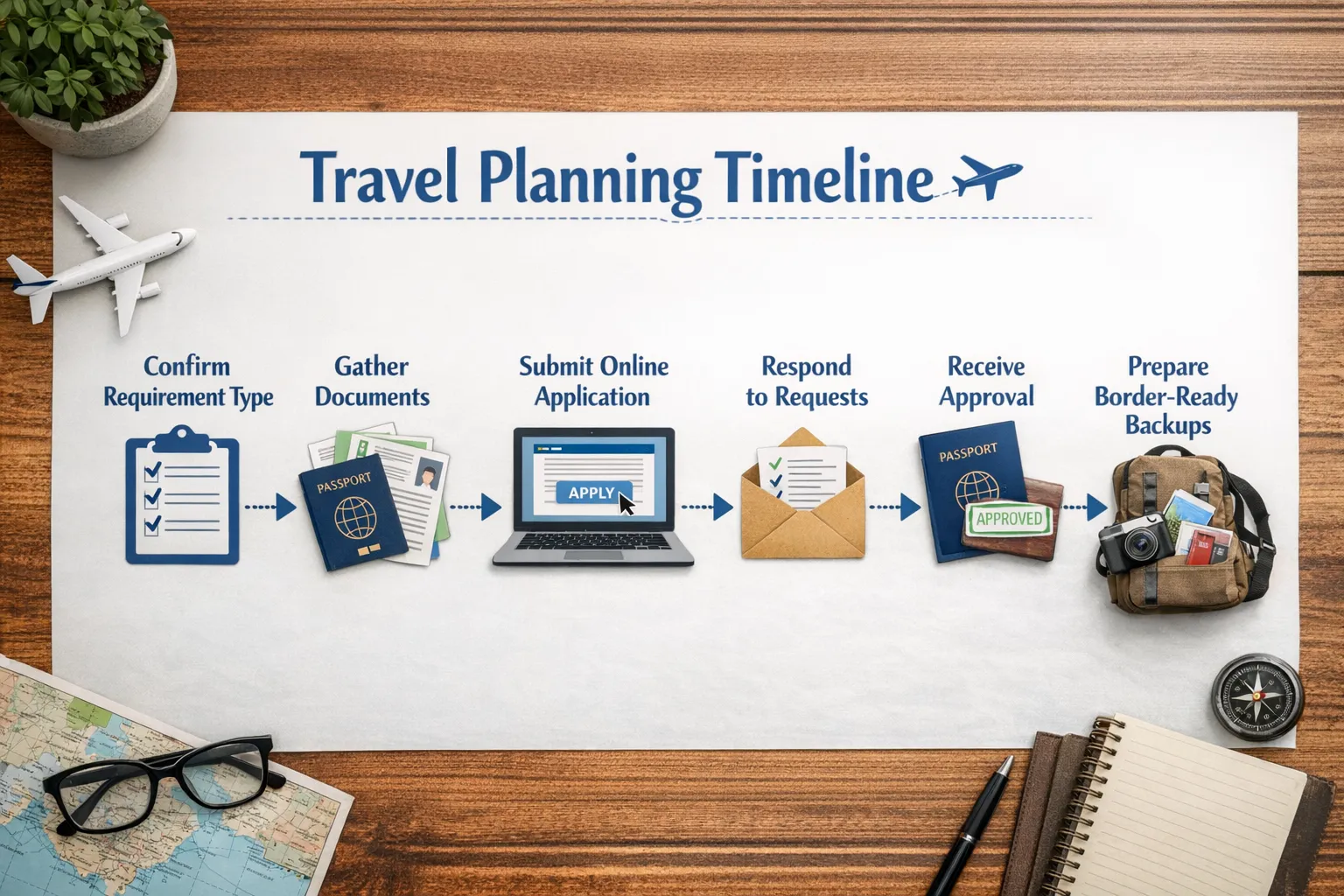
Costs: what an electronic visa online really costs (beyond the headline fee)
Travelers often budget for the government fee and stop there. Travel businesses often display the base price but underestimate how frequently customers hit hidden add-ons (expedites, document services, re-application).
The main cost buckets
A complete cost estimate usually includes:
- Government fee: Paid to the destination authority.
- Processing speed add-ons: Optional priority tiers in some programs.
- Payment overhead: FX markups, international transaction fees, or failed payments that require retry.
- Document preparation costs: Photo services, translation, notarization, printing (sometimes still required), and courier fees for edge cases.
- Service fee (if using an intermediary platform): Convenience and guided support can add cost, but often reduces the chance of rework.
For a deeper breakdown of how fees are calculated and why totals vary, see Fee for Visa: How Costs Are Calculated and Visa Processing Fee Explained: What You’re Paying For.
A realistic “total cost” model you can use
Instead of budgeting on a single line item, estimate:
Total visa cost = government fee + (optional expedite) + service fee (if any) + document prep + payment overhead + risk buffer
The risk buffer is important if your trip is high stakes (non-refundable flights, group travel, events). A small buffer can cover:
- A second passport photo that meets specs
- A translation of one supporting document
- A re-application if you discover an error late
Cost components at a glance
| Cost component | Who charges it | When it appears | What to watch for |
|---|---|---|---|
| Government application fee | Issuing authority | At submission | Confirm it on an official source before paying |
| Priority/expedite fee | Issuing authority (or authorized channel) | Optional | Not always offered, and not always faster during peak periods |
| Service/platform fee | Visa service provider | At checkout | Ensure pricing is transparent and includes what you need |
| Photo, translation, notarization | Third parties | Before submission | Most common surprise costs for “simple” eVisas |
| FX and card fees | Your bank/payment network | At payment | International transactions can fail without 3-D Secure or bank approval |
As a concrete example of a known government fee, the U.S. ESTA fee is USD $21 (always verify on official U.S. government resources). For many other destinations, fees vary by nationality and visa type.
Documents: what you typically need for an online visa application
Online visas reduce paperwork, but they do not eliminate documentation standards. The difference is that your “paperwork appointment” becomes a digital quality-control test.
The core documents most eVisa applications require
Exact requirements vary, but these are the most common:
- Passport bio page scan: Often must meet minimum validity rules and be clearly readable.
- Digital passport-style photo: Specific background, size, and recency requirements.
- Travel details: Dates, entry port, address while staying, sometimes flight itinerary.
- Accommodation proof: Hotel booking or host address.
- Proof of funds: Bank statement or sponsor proof for certain destinations.
- Purpose-specific evidence: Invitation letter for business, enrollment for students, conference registration for events.
If you want a longer, destination-agnostic list, SimpleVisa’s Checklist: Everything You Need Before Submitting an Online Visa Application is a helpful companion.
What “good documents” actually means (the technical layer)
A big share of online visa delays come down to file quality, not eligibility.
- Avoid screenshots of documents unless the destination explicitly accepts them.
- Use common formats (PDF/JPG/PNG) and keep files crisp, not over-compressed.
- Make sure the MRZ and passport number are readable on passport scans.
- Match names exactly across passport, tickets, and the application form.
A document-to-risk map (what each item protects against)
| Document | Why it’s requested | Common rejection/delay trigger | Quick prevention tip |
|---|---|---|---|
| Passport scan | Confirms identity and passport number | Cut-off corners, glare, unreadable text | Scan on a flat surface with even lighting |
| Passport photo | Biometric matching and record standards | Wrong background, shadows, wrong size | Use a compliant photo tool or professional service |
| Itinerary/travel dates | Validity window and entry planning | Dates don’t match hotel/flight proof | Align all dates before you submit |
| Accommodation | Confirms address while in-country | Missing address details | Use a booking that displays full address clearly |
| Proof of funds | Reduces overstay and welfare risk | Statements too old or incomplete | Provide recent statements in one consolidated PDF |
| Invitation/employer letter (if applicable) | Validates purpose | Vague letter or missing contact info | Use official letterhead and include dates/purpose |
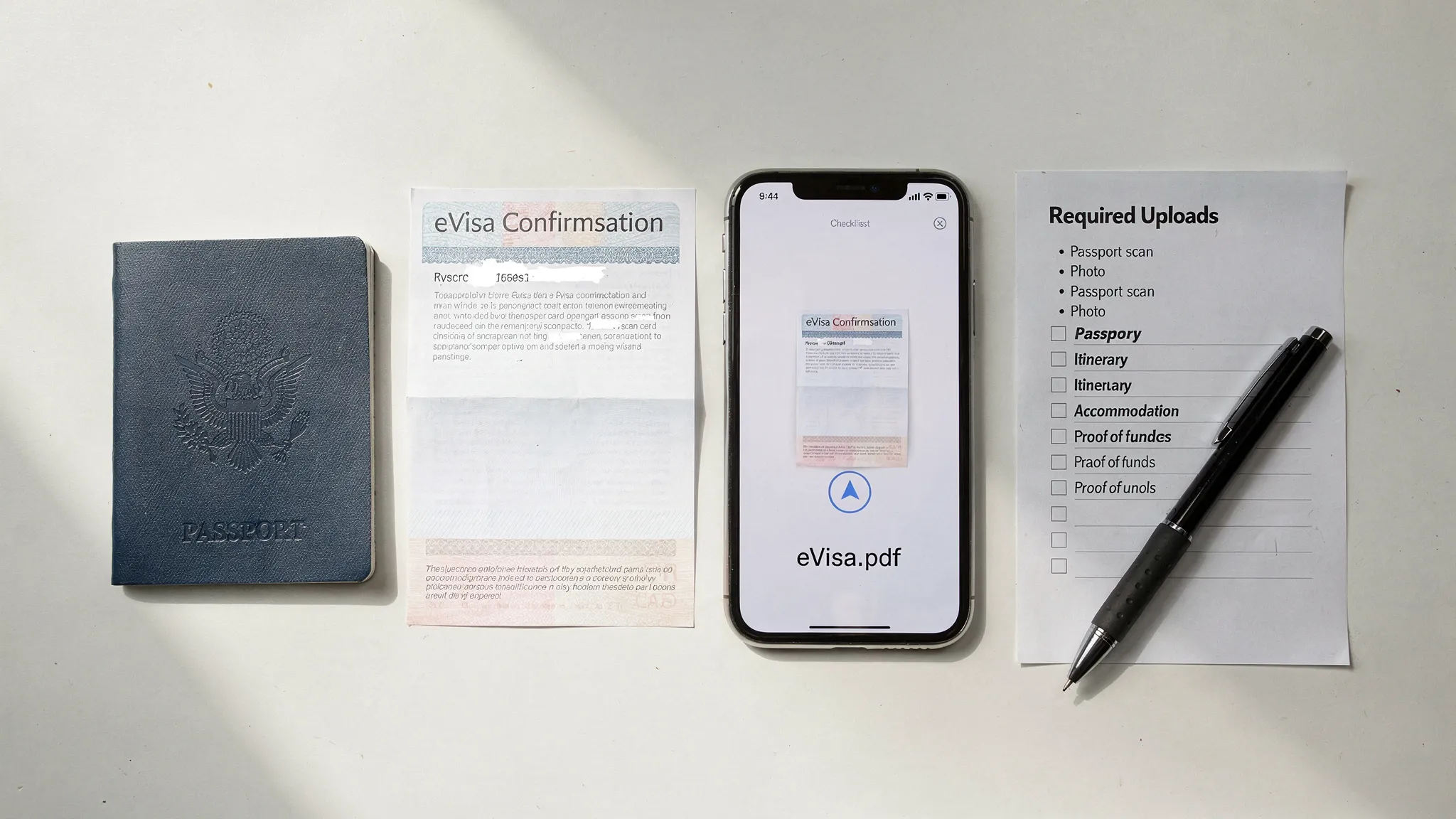
Putting it together: a 15-minute pre-submission audit
Before you click “pay” on any electronic visa online application, do this quick audit:
- Confirm you are applying on an official portal or a trusted provider, and protect yourself from fraud (SimpleVisa’s Electronic Visa Scams: How to Protect Yourself from Fraud is a practical reference).
- Check your passport validity against the destination rule.
- Copy your name exactly as shown on the passport MRZ (the machine-readable lines).
- Verify your travel dates match across flights, hotels, and the application.
- Open every upload and zoom in to confirm it is readable.
- Save a local copy of your submission confirmation.
For travel businesses: how to reduce visa friction for customers
If you sell travel, visa confusion shows up as cart abandonment, support tickets, and day-of-travel disruptions. The fix is usually not “more FAQ pages,” it is in-flow guidance and automation.
SimpleVisa is built for travel companies to streamline this, with options that can fit different product stacks:
- API integration to embed eligibility checks and guided applications inside booking flows
- White-label visa application app for a branded, hosted experience
- Custom data services when you need visa rules surfaced in your own UI
- No-code implementation options for faster go-live
The business outcome is typically a mix of fewer customer errors, smoother border compliance, and new ancillary revenue from offering visa services at the right moment.
Frequently Asked Questions
How long does an electronic visa online take? Processing time depends on the destination, your nationality, and whether your application is routed to manual review. Some travel authorizations can be approved in minutes to 72 hours, while many eVisas take several business days or longer. A practical approach is to apply with a buffer (often 3 to 4 weeks for standard tourist eVisas).
Is an online visa the same as an eVisa? Sometimes. “Online visa” can refer to eVisas (a true visa issued digitally) or to eTAs/ETAs (a travel authorization for visa-exempt travelers). The document type affects both required documents and the expected timeline.
What documents do I usually need for an online visa application? Most applicants need a passport scan and a digital photo, plus travel details (dates, address, sometimes accommodation proof). Some destinations also require proof of funds, insurance, or a letter (business invitation, enrollment, or similar).
Why do online visa applications get delayed? The most common reasons are incorrect passport details, poor-quality uploads, name mismatches, and missing supporting documents. Delays also happen during peak travel seasons or when authorities request additional information.
Do I need to print my approved eVisa? It depends on the destination and airline check-in practices. Even when digital presentation is accepted, carrying a printed copy or an offline PDF backup is a smart contingency.
Are service fees worth it for electronic visa applications? For low-friction travel authorizations, many travelers apply directly. For higher-stakes trips, complex itineraries, or when document requirements are strict, guided platforms can reduce errors and rework, which can be more cost-effective than a denial or missed flight.
Make online visa processing simple (for your travelers and your team)
If you are a travel business and want to offer electronic visas online without building a complex compliance workflow in-house, SimpleVisa helps you integrate visa guidance and applications into your customer journey through an API, a white-label app, or data services (including no-code options).
Explore SimpleVisa at simplevisa.com to see the integration paths and how streamlined visa flows can improve customer experience while unlocking ancillary revenue.