Travel Get-Ready Checklist: Visas, Passport, Proofs
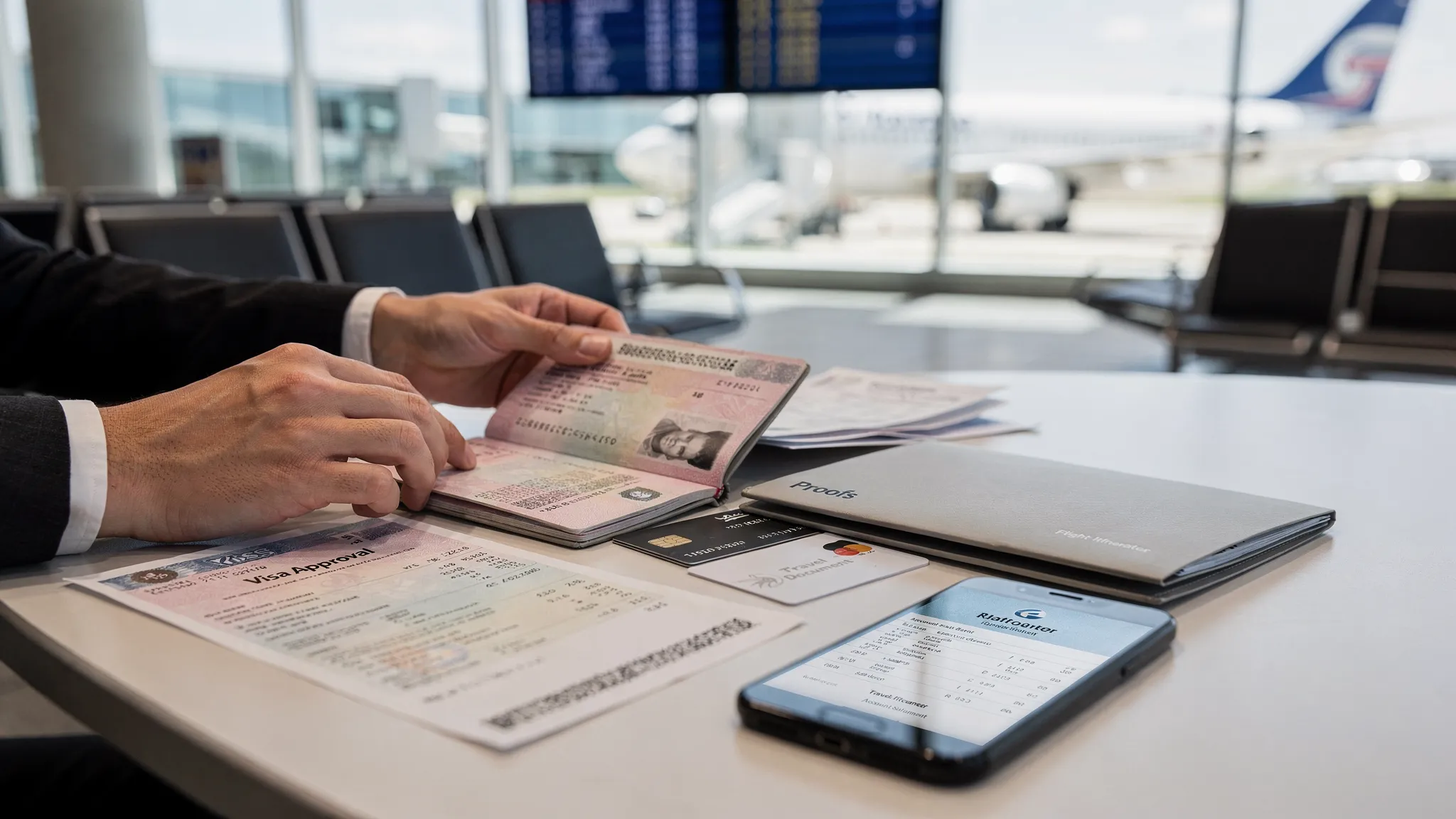
Airport surprises almost always come down to paperwork, not packing. A passport that expires too soon, the wrong visa type, or missing “proof” documents can lead to denied boarding at check-in or long delays at immigration.
This travel get-ready checklist is designed to help you confirm three things before you leave: visas (or travel authorizations), passport readiness, and the proofs you may be asked to show.
The 2-minute travel get-ready checklist (scan this first)
Use this as a quick pre-flight review, then go deeper in the sections below.
| Category | What to confirm | What to save (digital + backup) |
|---|---|---|
| Passport | Valid for your destination’s rule (often 6-month buffer), undamaged, name matches booking | Photo of bio page, passport number, expiry date |
| Visa / eVisa / eTA / ETA | You have the right document for your nationality and purpose, correct dates and entries | Approval PDF, reference number, issuer confirmation email |
| Proofs (border and airline checks) | Onward/return plan, where you’ll stay, ability to pay, purpose consistency | Hotel booking, onward ticket, bank proof, invitation (if applicable) |
| Insurance / health | Coverage meets destination requirements (if any), emergency contacts known | Policy PDF, insurer hotline, prescriptions |
| Backups | You can access documents offline if your phone dies | Printed copies + cloud folder + offline phone copies |
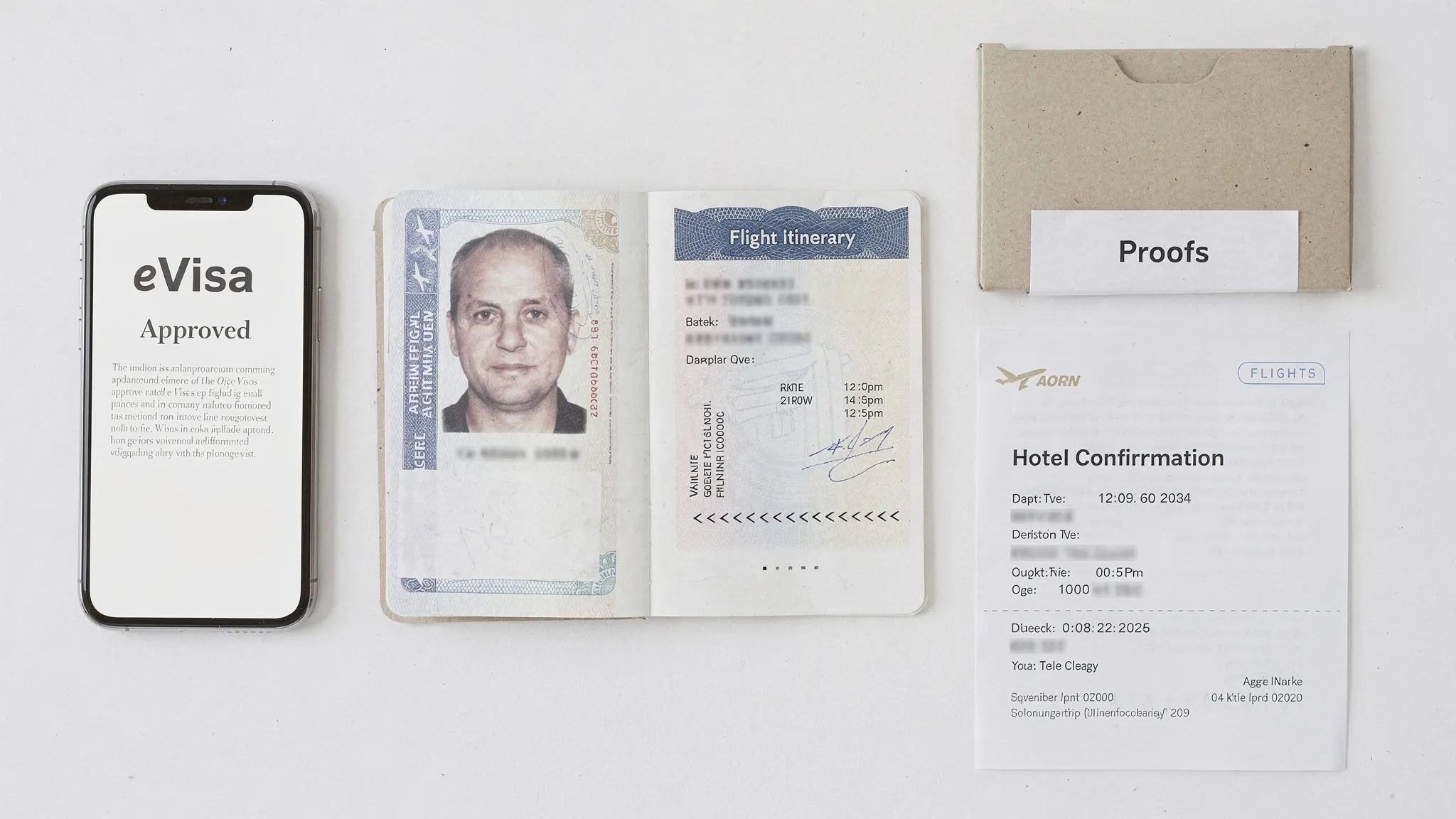
1) Passport readiness: the checks that matter
A passport is more than “not expired.” Airlines and border officers look for a few common issues.
Validity buffer (the rule that catches people off guard)
Many destinations require your passport to be valid for a minimum period beyond your arrival date (often framed as a 3-month or 6-month buffer). Because the rule varies by country and itinerary, treat this as a required check, not a guess.
- If your passport expires within the next 6 months, verify the destination and transit rules before you fly.
- If you are transiting, check the transit country too, not just the final destination.
For U.S. travelers, the U.S. Department of State provides destination-specific travel information, including entry and passport considerations.
Name matching across documents
Your passport name should match:
- Your flight booking
- Your visa or travel authorization
- Any supporting proofs (invitation letters, bookings)
Even small differences (missing middle name, swapped surname order) can trigger manual checks. If your booking platform allows it, align the booking name to the passport exactly.
Blank pages and physical condition
Some countries still stamp on entry. If you are short on blank pages, or your passport is damaged (water damage, torn page, worn chip), handle it before travel.
Dual citizens: choose the “operating passport” early
If you have two passports, decide which passport you will use for the trip and apply for any visa or authorization with that one. Rules and eligibility can differ by nationality.
If you need a refresher, SimpleVisa has guidance on navigating eVisa rules for dual citizens.
2) Visas, eVisas, and travel authorizations: what to confirm before you pack
“Visa” is often used as a catch-all, but in practice you might need:
- Visa-free entry (no pre-travel approval required)
- eTA/ETA/ESTA-style authorization (a pre-travel clearance linked to your passport)
- eVisa (an electronic visa approval)
- Consular visa (application via embassy/consulate, often involving an appointment)
SimpleVisa covers the basics in Travel Visa Basics: What to Know Before You Book and the differences in What is the difference between an electronic visa and regular visa?.
Confirm these 6 fields on every visa or authorization
Before you depart, open your approval and verify:
- Full name (spelling and order)
- Passport number (common source of denial at the airport)
- Date of birth
- Validity window (start date and expiry)
- Entries (single-entry vs multiple-entry)
- Length of stay and permitted activities (tourism, business meetings, transit)
If anything is wrong, fix it immediately. In many programs, a mismatch means the document is invalid.
Apply earlier than you think (even for “fast” programs)
Some authorizations are approved quickly, but delays happen due to manual review, peak seasons, or document re-requests.
A practical planning rule is:
- Consular visas: start as early as you can (appointments can be the bottleneck)
- eVisas: build buffer for document fixes and peak season demand
- eTAs/ETAs: still apply ahead of travel, since “instant” is not guaranteed
For a detailed timing framework, see When should I apply for an electronic visa.
Do you need to print it?
Some borders and some airlines accept fully digital presentation, but you should plan for failure modes (dead phone, no signal, check-in agent request).
SimpleVisa breaks down the real-world scenarios in Do you need to print an electronic visa?.
3) Proof documents: what you may be asked to show (and why)
Even with a valid passport and visa, you can be asked for “proofs” at two different points:
- Airline document check (often at online check-in, bag drop, or the gate)
- Border control (arrival immigration)
These checks are designed to confirm that your story, documents, and trip purpose are consistent.
Common proofs and acceptable examples
| Proof type | What it demonstrates | Common acceptable documents |
|---|---|---|
| Onward or return travel | You plan to leave within allowed stay | Return flight, onward flight, bus/ferry ticket, confirmed itinerary |
| Accommodation | Where you will stay | Hotel booking, rental confirmation, host invitation with address |
| Proof of funds | You can support yourself | Recent bank statements, pay slips, sponsor letter (where accepted) |
| Purpose of visit | Your trip matches the visa category | Tour itinerary, business meeting invite, event registration |
| Travel insurance (when required) | Medical coverage and repatriation | Policy certificate showing dates and coverage |
What counts and how strict it is depends on the destination and sometimes your traveler profile. If you are applying for a specific program (such as a UK ETA), you can also review destination-focused guidance like What Documents Do You Need for a UK ETA?.
“Proofs” are also about consistency
A common problem is not the absence of a document, but inconsistent details, for example:
- Your visa is for tourism, but your itinerary and letters suggest work.
- Your accommodation proof does not cover the first nights.
- Your dates do not align (arrival date differs between booking and visa window).
If you want a broader border-crossing overview beyond visas, SimpleVisa’s Border Crossing Made Easy: Documents, Forms, and Tips is a useful companion.
4) Digital readiness: how to store travel documents so you can actually use them
The best document is the one you can retrieve in 10 seconds while stressed.
Use the “3-2-1” backup rule for travel docs
- 3 copies: at least one on your phone, one in the cloud, one printable
- 2 formats: PDF plus image (screenshot) for fast access
- 1 offline option: downloadable files accessible without internet
What to store (minimum set)
Create a single folder named something like “TRIP DOCS” and include:
- Passport bio page photo
- Visa/eVisa/eTA approval PDF and confirmation email
- Flight itinerary and accommodation confirmation
- Insurance certificate and emergency numbers
Printing: keep it simple
If you print, use one or two pages per item (avoid tiny text). Put the most time-critical documents first (visa approval, onward ticket, hotel address). A slim folder beats a thick stack.
5) A simple timeline to avoid last-minute document panic
A timeline helps because “I’ll do it later” is how most visa mistakes happen.
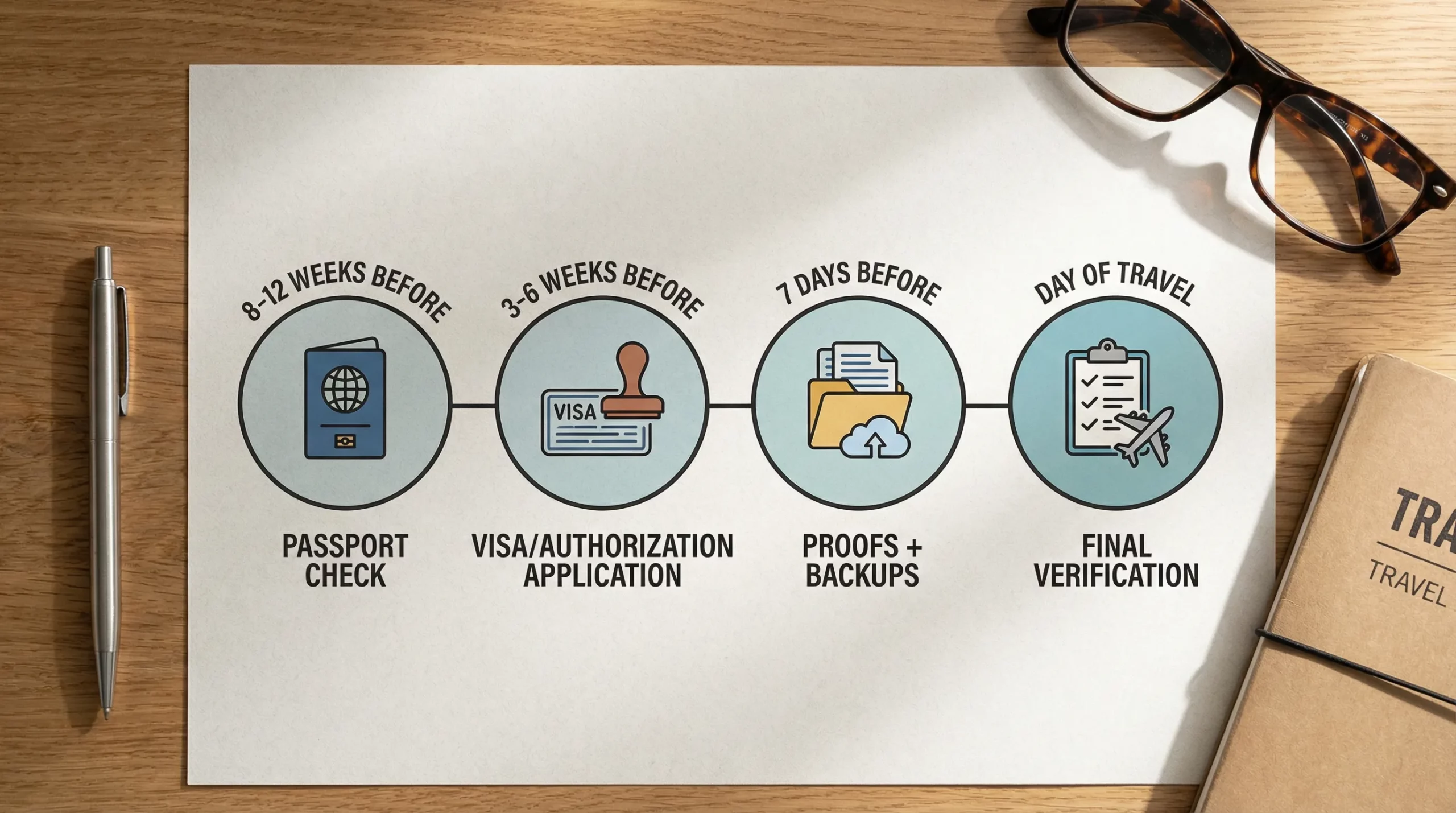
8 to 12 weeks before departure
Focus: eligibility and passport.
- Confirm passport validity buffer and condition
- Verify whether you need a visa, eVisa, or travel authorization
- If your trip includes multiple countries, map requirements for each leg
3 to 6 weeks before departure
Focus: applications and fixes.
- Submit visa/eVisa/authorization applications
- Prepare proofs that take time (employment letters, bank statements)
- Build your digital document folder
7 days before departure
Focus: verification and backups.
- Re-check every key field (passport number, validity dates, entries)
- Download offline copies to your phone
- Print what you might need
Day of travel
Focus: execution.
- Keep passport and approvals in a single easy-to-reach place
- Arrive early if your route is known for extra checks
- If asked for proofs, show the cleanest version first (confirmed bookings, clear statements)
6) For travel businesses: turn this checklist into a conversion and support win
If you sell flights, packages, cruises, or tours, document readiness is not just a traveler issue. It directly impacts:
- Conversion (travelers abandon bookings when requirements are unclear)
- Support volume (repetitive “Do I need a visa?” tickets)
- Operational risk (denied boarding and disruption)
- Ancillary revenue (visa services are a natural add-on)
SimpleVisa is built to simplify border-crossing administration for travel businesses with options such as API integration into booking flows, a white-label visa application app, no-code implementation, and custom data services. If you want to understand how embedded flows work, you can also explore the background in How eVisa APIs work: Step by Step.
Frequently Asked Questions
What is the most important item on a travel get-ready checklist? The passport. Check validity buffers, name accuracy, and physical condition first, because visa eligibility and approvals depend on passport details.
Do I always need a printed copy of my eVisa or travel authorization? Not always, but it is smart to carry a printed backup. Some airlines and border checkpoints still request paper, and phone failures are common.
What “proof of funds” should I bring for international travel? Bring a recent, readable document that shows you can cover costs, commonly a bank statement or equivalent financial proof. Requirements vary by destination.
Can I be denied boarding even if I have a valid visa? Yes. Airlines may deny boarding if required documents are missing, details do not match, or if you cannot show required proofs (like onward travel) when asked.
How early should I apply for an eVisa? Apply as early as the destination allows, and add buffer for peak travel seasons and corrections. Even fast online programs can be delayed by manual review.
What should travel companies do to reduce visa-related customer support tickets? Provide clear, personalized requirements early (at booking and post-booking), guide customers through applications, and centralize document collection and status updates.
Make travel document readiness effortless with SimpleVisa
If you are a travel brand, the fastest way to reduce border-related friction is to stop treating visas and proofs as “afterthought” tasks. SimpleVisa helps travel businesses guide customers through visa requirements and applications, using integrations that can fit your product stack (API, white-label app, data services, and no-code options).
Explore SimpleVisa at simplevisa.com to see how you can streamline document readiness, improve customer experience, and unlock ancillary revenue in the same flow where travelers book.