Travel Visa Booking: Prevent Abandonment With Smart Prompts
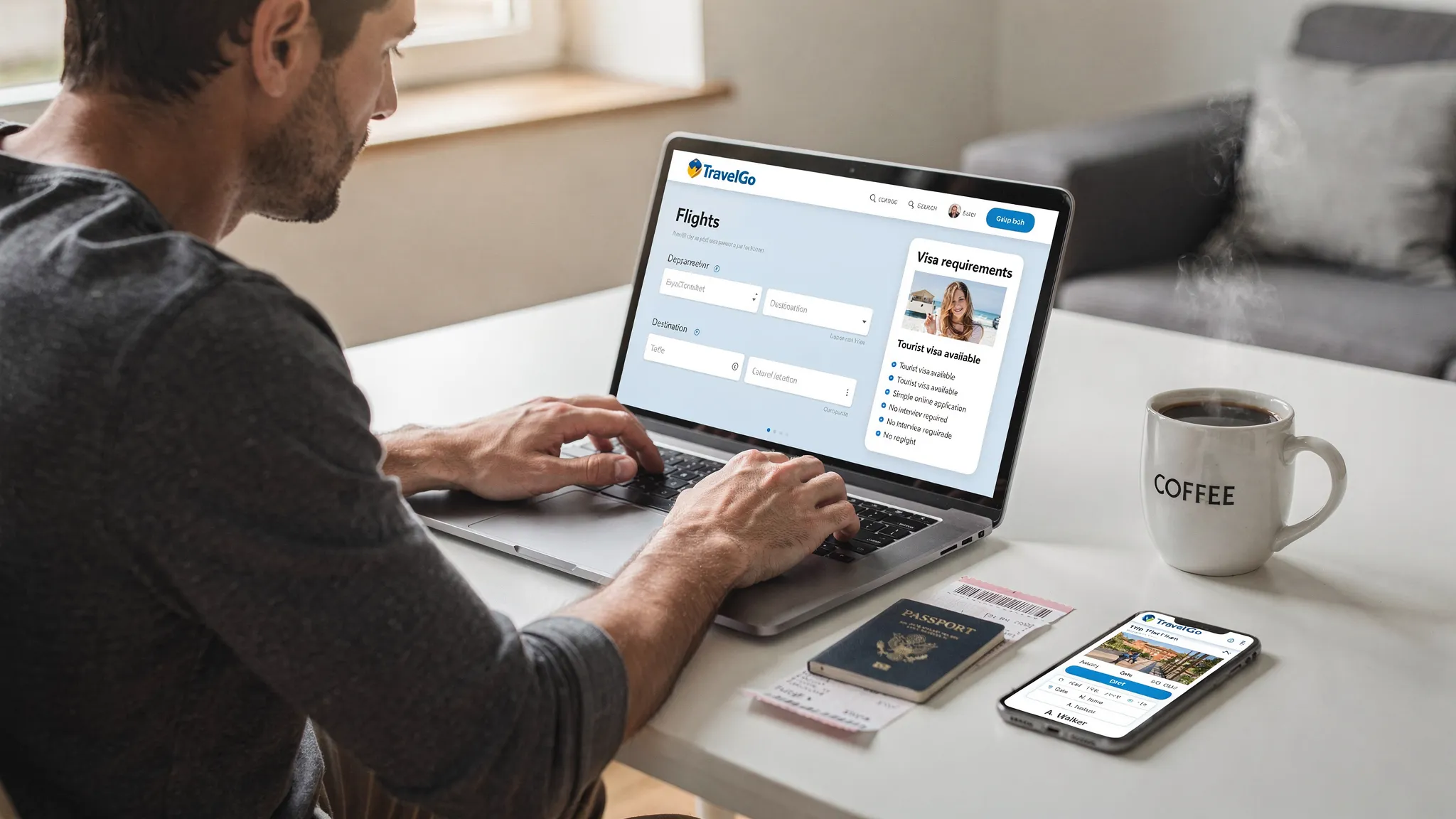
Visa requirements are a silent conversion killer in travel. A customer can be fully committed to a flight or tour, then hesitate (or leave) the moment they wonder: “Am I even allowed to enter?” In 2026, that risk is only increasing as more destinations introduce digital authorizations, stricter passport-validity rules, and itinerary-specific requirements.
The fix is not “more information pages.” It is smart prompts: timely, contextual nudges embedded in the booking journey that prevent uncertainty from turning into abandonment.
What “travel visa booking” really means (and why it affects conversion)
For travel sellers, travel visa booking is not just a back-office service. It is the point where entry compliance becomes part of the purchase decision.
In practice, it includes:
- Informing travelers what they need (visa, eVisa, eTA/ETA, visa-free, transit rules)
- Setting expectations for timelines, documents, and costs
- Giving them a clear next step (apply now, apply later, or confirm eligibility)
If that guidance arrives too late (for example, after payment or via a generic email), you create anxiety and support tickets. If it arrives too early, you add friction. Smart prompts solve this by showing only what matters, exactly when it matters.
Why travelers abandon when visa questions appear
Most abandonment around travel documents is driven by uncertainty and perceived risk, not necessarily the work itself. Common triggers include:
“I don’t know if I need something”
Nationality-based rules, transit exceptions, and special cases (dual citizenship, one-way tickets, short passport validity) make travelers fear booking the wrong thing.
“This looks like it will take forever”
When travelers expect a quick checkout but see anything that implies paperwork, they mentally re-price the trip in time and hassle.
“Surprise costs”
Unexpected visa fees and processing fees can feel like hidden charges. That erodes trust.
“I don’t trust where my passport data is going”
Any request for passport scans or personal details triggers security concerns.
“Mobile makes it worse”
Document upload, photo rules, and form completion are harder on a phone, exactly where many travel purchases happen.
As a benchmark for the broader problem of checkout friction, the Baymard Institute has long reported that average online cart abandonment is around 70% across ecommerce. Travel is not immune, and visa uncertainty is a uniquely travel-specific accelerator.
What smart prompts are (and what they are not)
A smart prompt is a context-aware message or UI element that:
- Appears based on triggers (destination, nationality, trip dates, itinerary pattern)
- Reduces uncertainty with a clear answer or next step
- Minimizes effort using prefill, eligibility checks, and progressive disclosure
Smart prompts are not:
- A generic “Check visa requirements” link in the footer
- A long FAQ dumped at checkout
- A hard interrupt that blocks booking for low-risk itineraries
The goal is simple: prevent the traveler from pausing the booking to go research elsewhere. When they leave your flow, you may not get them back.
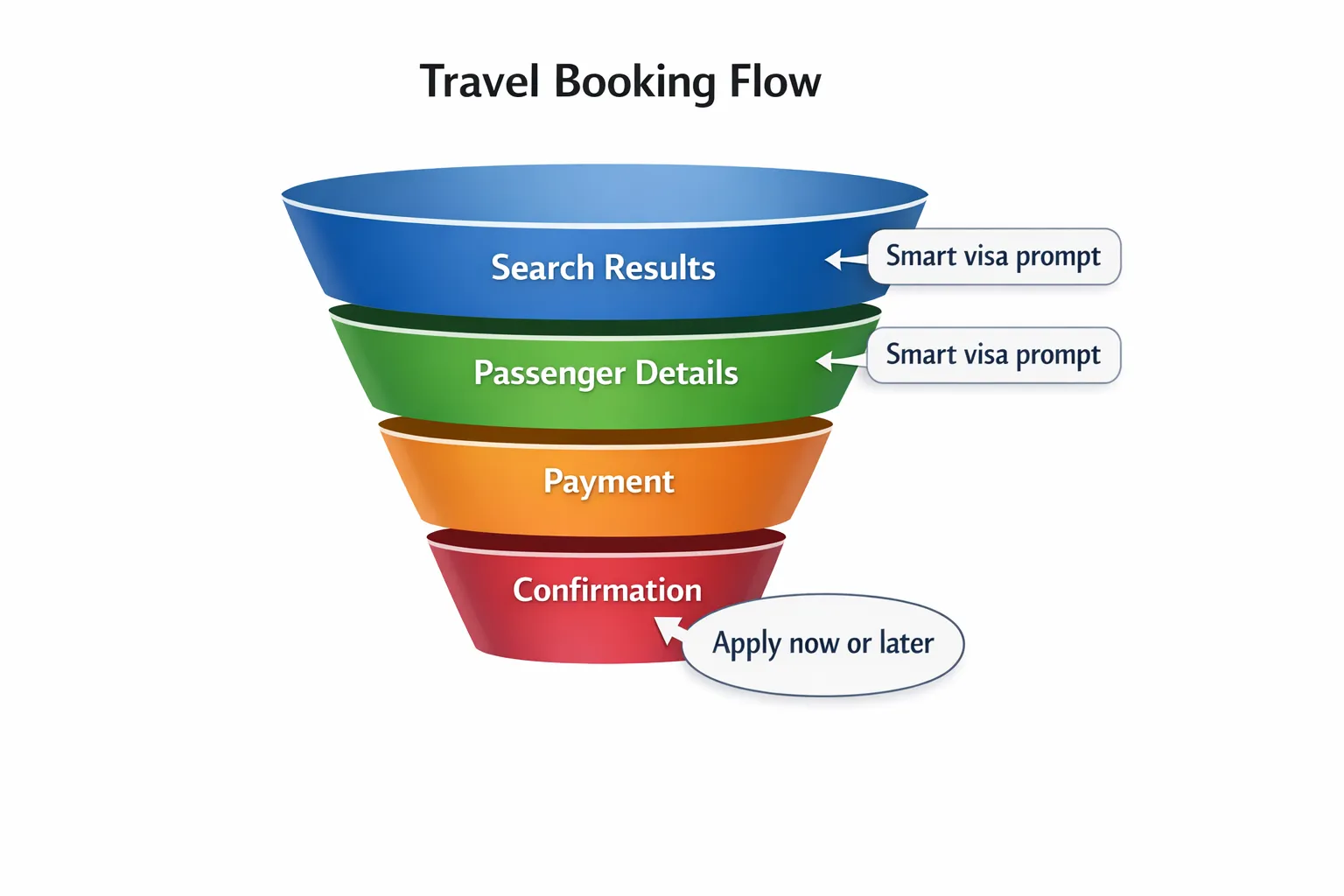
The highest-impact prompt placements (with examples)
Smart prompts work best when they match the traveler’s mental state at each step. Here are proven placements and what each should accomplish.
1) Search results or itinerary selection: “Eligibility confidence”
At this stage, you are not selling the visa yet. You are removing doubt.
Example prompt copy:
“Passport-based entry check available. Confirm in 30 seconds whether you need an eVisa or travel authorization for this itinerary.”
Why it works:
- It prevents “I’ll come back later after I research” behavior
- It frames the check as fast and low-commitment
2) Passenger details: “Precision prompts”
This is where travelers already expect to input personal details. It is the ideal moment to ask for just enough information to generate accurate requirements.
Example prompt copy:
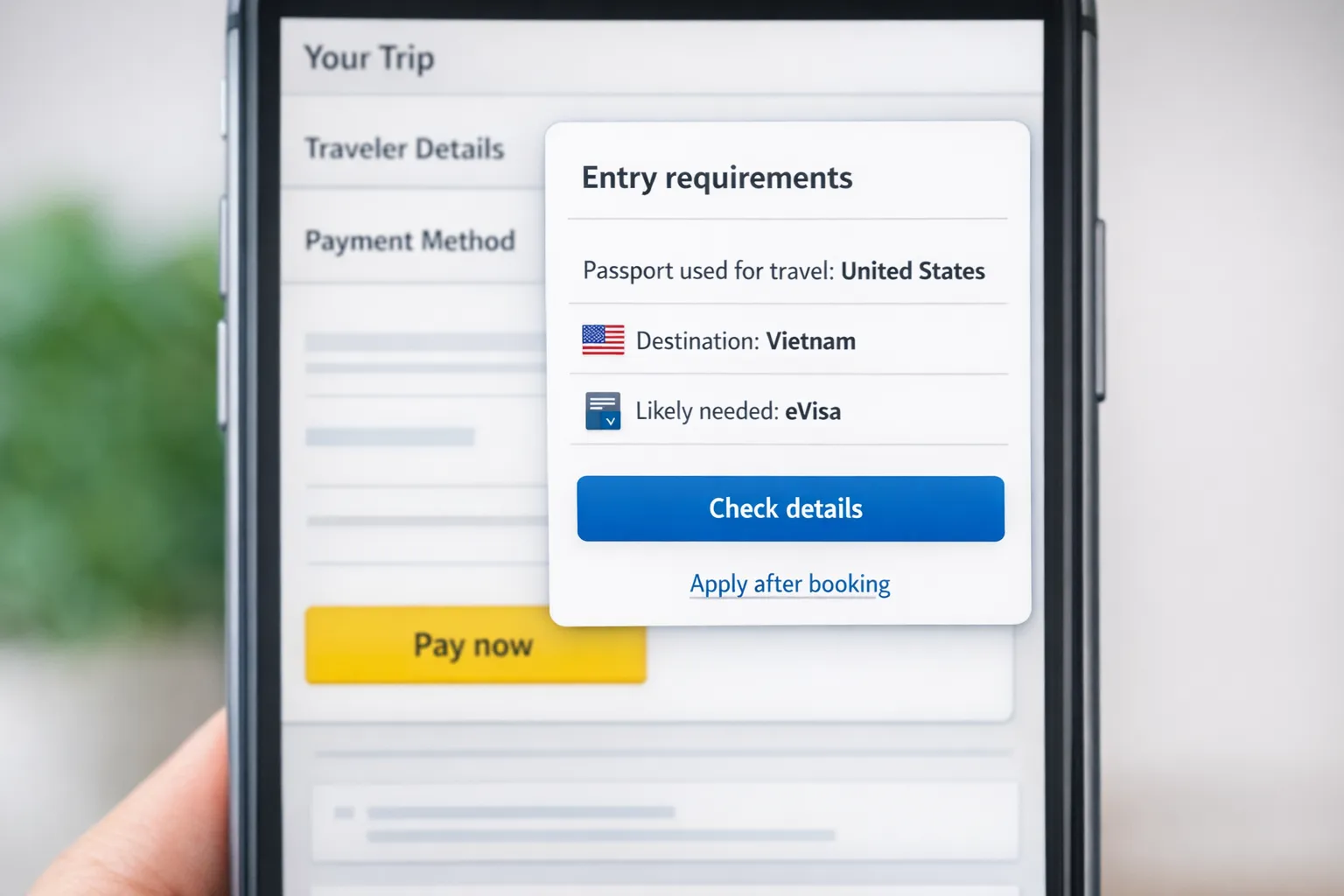
“Travel document check: What passport will you use to travel? (Needed to confirm visa requirements.)”
Key principle: ask only for what you need. Often, passport nationality and destination are enough to provide a useful answer, while still keeping the flow light.
3) Payment step: “No surprises”
If visa fees are relevant, travelers should not discover them after they pay.
Example prompt copy:
“Entry documents may be required for this trip. See estimated visa cost and typical processing time before completing payment.”
This prompt protects trust. It also reduces chargebacks and complaints that stem from “hidden fees” perceptions.
4) Post-booking confirmation: “Conversion to completion”
Once the trip is purchased, the traveler’s motivation is high. This is the best place to convert intent into action.
Example prompt copy:
“Your trip is booked. Apply for your eVisa now (recommended) or set a reminder based on your departure date.”
This is also where a white-label visa application experience can shine, because you can keep the traveler in your ecosystem rather than sending them to multiple government pages.
A practical blueprint: prompt triggers that actually prevent abandonment
The difference between “helpful” and “high-converting” is the trigger logic. Below is a pragmatic way to think about prompts that reduce abandonment without overwhelming the traveler.
| Booking moment | Trigger (rule) | Smart prompt goal | What to measure |
|---|---|---|---|
| Search results | International destination selected | Prevent uncertainty before checkout | Click-through to eligibility check |
| Passenger details | Passport nationality unknown | Collect minimum data for accuracy | Completion rate of passport capture |
| Passenger details | Trip departs soon | Create urgency without panic | Visa attach rate by departure window |
| Payment | Visa is likely required | Prevent surprise cost and delays | Drop-off rate at payment |
| Confirmation | Visa required or recommended | Convert purchase into application start | Application start rate |
Microcopy that reduces fear (without making legal promises)
Visa language is full of high-stakes terms: “inadmissible,” “refusal,” “denied boarding.” Your prompts should be clear and reassuring, but also careful.
Use plain language + next action
Instead of: “Visa may be required depending on nationality.”
Try: “Based on the passport you selected, you may need an eVisa. Check requirements and start the application in minutes.”
Be specific about what you can be specific about
You can safely clarify:
- Whether an authorization is commonly required for that passport-destination pair
- What inputs affect the answer (transit, purpose, dates)
- What happens next (apply, upload documents, track status)
Avoid absolute guarantees about entry decisions, which are controlled by governments and border officers.
Add trust signals at sensitive steps
When asking for passport data or document uploads, your prompt should acknowledge the sensitivity.
Example:
“Your passport details are used only to complete your application and confirm requirements. Use a secure connection and double-check spelling.”
(If you have specific certifications, display them. If you do not, do not claim them.)
Smart prompts for the two hardest moments: documents and timing
Document prompts: reduce “unknown unknowns”
The most frustrating traveler experience is learning about a document requirement after they have already started.
A high-performing prompt pattern is:
“Before you start: you will typically need a passport scan and a digital photo. You can upload from your phone.”
This works because it converts anxiety into a checklist mindset.
Timing prompts: prevent last-minute panic (and support overload)
A smart timing prompt is not “apply now or else.” It is a recommendation with a rationale.
Example:
“Departing in 9 days. Recommended: start now to allow time for review and any document updates.”
This reduces avoidable escalations like “urgent, flying tomorrow” tickets.
Don’t ignore the money side: visa prompts that support transparent budgeting
Visa costs often sit in the same mental bucket as baggage fees and seat selection: “unexpected extras.” You can reduce abandonment by being transparent early.
Two practical approaches:
- Show estimated total cost (government fee plus service fee if applicable) before the traveler commits
- Offer a clear decision: “Apply now” vs “Apply later”
If your audience includes travelers who want to plan expenses across the whole trip, a helpful resource is FIYR’s content on budgeting and financial planning. You can point them to the personal finance and budgeting articles on the FIYR blog to help them think about travel costs in context.
How to implement smart prompts without rebuilding your checkout
Travel companies usually fall into three implementation paths:
API integration (deepest embedding)
Best for OTAs, airlines, and platforms that want visa guidance and application steps directly inside their booking UX.
White-label visa application app
Best when you want a branded experience quickly, while keeping the operational complexity of visa workflows off your core product.
No-code or low-code deployment
Best for teams that want to validate demand and conversion impact without a heavy engineering cycle.
SimpleVisa supports these models through visa processing automation, API integration, a white-label visa application app, and no-code implementation options (per your operational needs).
Measurement: how to prove your prompts are reducing abandonment
If you cannot measure prompt impact, you cannot optimize it.
At minimum, track:
- Prompt impression rate (by route, destination, device)
- Prompt engagement (click, expand, “check now”)
- Visa attach rate (applications started per eligible bookings)
- Form completion rate (applications submitted per applications started)
- Support contact rate (visa-related tickets per 1,000 bookings)
A simple but powerful experiment is to A/B test:
- Early prompt (search results) vs later prompt (passenger details)
- “Check eligibility” wording vs “Do I need a visa?” wording
- Price shown upfront vs price behind a click
Common mistakes that make prompts feel spammy (and increase drop-off)
Too many prompts
If every step has a visa message, travelers tune it out. Use rules to show prompts only when the itinerary is international, the destination is high-friction, or the booking window is short.
Generic prompts that do not resolve the question
“Visa requirements may apply” is not helpful. The prompt must lead to an answer or a next step.
Prompts that arrive after the traveler has mentally “finished”
If you wait until post-payment to mention a likely required visa, you risk refund requests and customer frustration.
Mobile-hostile document steps
If your flow includes document capture, it should be mobile-first: clear file rules, fast upload, and minimal rework.
Frequently Asked Questions
What is a smart prompt in travel visa booking? A smart prompt is a contextual message or UI element that appears during booking based on trip details (destination, dates, passport) to confirm entry requirements and guide the traveler to the next step without leaving the flow.
Where should visa prompts appear in the booking journey? The highest-impact placements are itinerary selection (to reduce uncertainty), passenger details (to collect passport inputs), payment (to prevent surprise costs), and post-booking confirmation (to convert motivation into application starts).
How do you avoid overwhelming travelers with visa messages? Use trigger logic and progressive disclosure. Show prompts only when relevant (international routes, likely visa requirement, short departure window) and keep the first message lightweight with an optional deep dive.
Do smart prompts increase ancillary revenue or just reduce support issues? Done well, they do both. They reduce abandonment by removing uncertainty and can increase attach rates by offering a clear, trustworthy “apply now” option inside the booking journey.
Can we add visa prompts without a heavy engineering project? Yes. Many teams start with a no-code implementation or a white-label flow, then move to deeper API embedding once they validate conversion lift and operational impact.
Make visa compliance feel effortless with SimpleVisa
If visa uncertainty is causing drop-off in your booking flow, smart prompts are one of the fastest ways to protect conversion while improving traveler confidence.
SimpleVisa helps travel businesses streamline visa applications through automation, with integration options that fit your product strategy, including API integration, a white-label visa application app, and no-code implementation.
Explore SimpleVisa at simplevisa.com to see how you can guide customers through border requirements, reduce abandonment, and create a high-trust ancillary revenue stream.