Your Visa Status Explained: Common Updates and Fixes

Checking your visa status can feel like watching a progress bar that never moves, especially when the update is something unhelpful like “processing” or “under review.” The good news is that most status messages follow a predictable pattern. Once you know what each update typically means (and what it does not mean), you can avoid common mistakes, fix preventable delays, and escalate to the right place when you truly need help.
This guide breaks down the most common visa and eVisa status updates across programs, explains why they happen, and gives practical fixes you can use right away.
First, a quick reality check: status wording varies by country
Visa and travel authorization systems are run by different authorities, with different workflows:
- eVisa / eTA / ESTA-style authorizations: Usually online, often automated screening first, then manual review if flagged.
- Consular (embassy) visas: Typically include document review, fees, biometrics, and sometimes an interview. Statuses can be broader and slower to refresh.
- In-country extensions or transfers: Often handled by immigration departments, with their own portals and long queues.
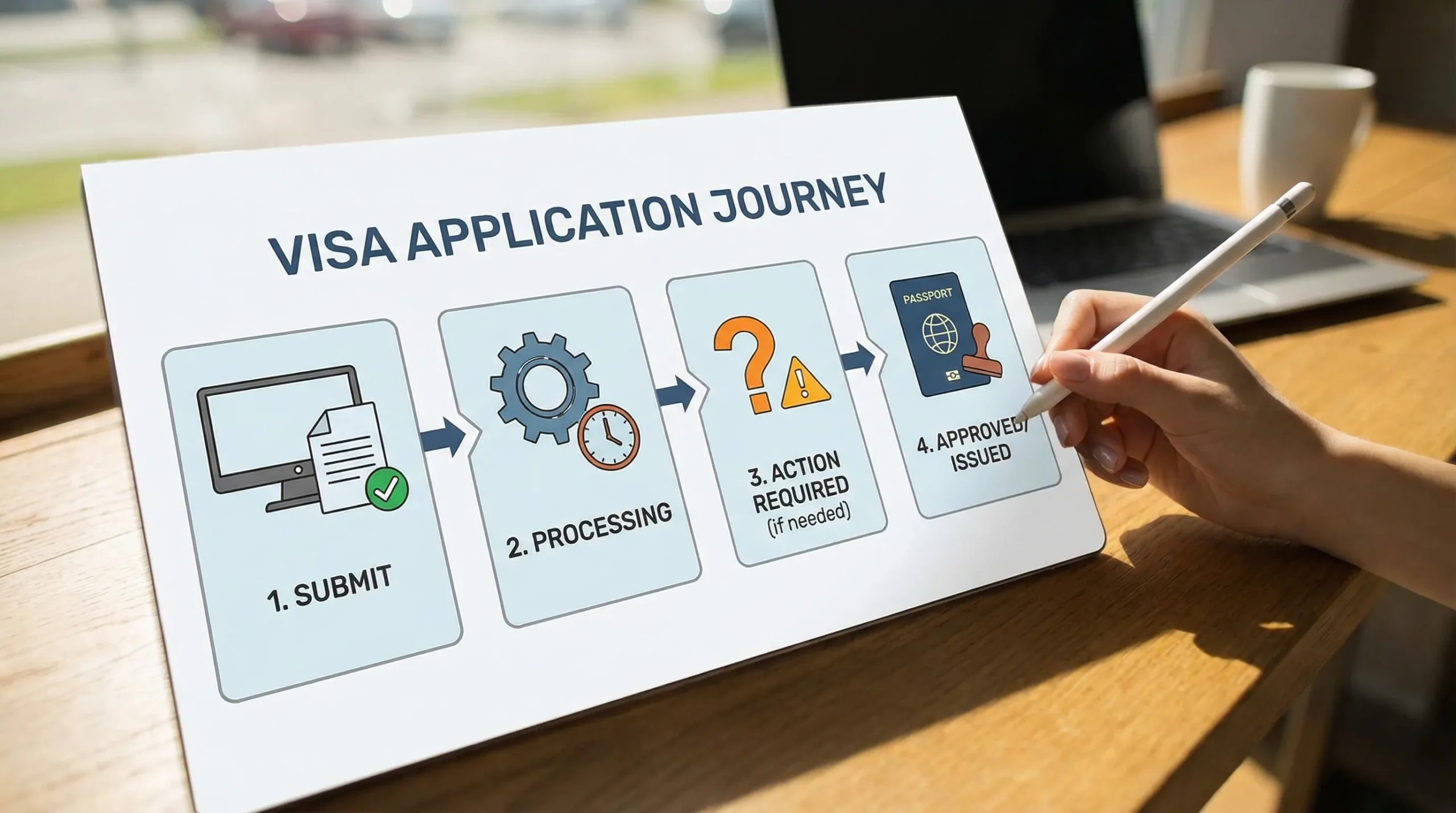
So while the exact label changes, the meaning usually maps to one of a few stages.
Why your visa status might look “stuck” even when work is happening
A status that does not change for days (or even weeks) is not automatically bad news. Common behind-the-scenes reasons include:
- Batch processing: Some systems update statuses once per day (or less).
- Manual review queues: An officer review may start long before the portal reflects it.
- Data validation steps: Passport MRZ checks, name matching, watchlist screening, or document-quality review can happen asynchronously.
- Requests sent outside the portal: Some authorities email you for more info, while the portal still shows “processing.”
If you want a solid baseline before troubleshooting, use a pre-submission audit like SimpleVisa’s checklist: Checklist: Everything You Need Before Submitting an Online Visa Application.
Common visa status updates (and what to do next)
The table below covers the most frequent updates travelers see and the safest next action.
| Status update you might see | What it usually means | What you should do now |
|---|---|---|
| Draft / Not submitted | You started an application but it is not filed | Finish all required fields, upload documents, and submit. Confirm you received a submission confirmation. |
| Submitted / Received | The system accepted the application (not a decision) | Save the reference number, confirmation email, and payment receipt. |
| Payment pending / Payment failed | The fee did not clear or the session timed out | Re-try using the same portal, avoid duplicate applications unless instructed, and keep proof of any charge. |
| Processing / In progress | Basic checks are underway (automated and/or manual) | Do not reapply unless the authority says to. Monitor email (including spam). |
| Under review | Manual review is likely happening | Re-check document clarity and details so you can respond quickly if contacted. |
| Additional documents required | The authority needs more evidence or a corrected file | Upload exactly what is requested in the specified format. Respond quickly and keep copies. |
| Biometrics required / Appointment needed | Fingerprints/photo or an in-person step is required | Book the earliest available slot, bring originals if required, and confirm location rules. |
| Approved / Granted | Decision is positive, issuance may still be pending | Download/save the grant notice. Verify names, passport number, validity dates, and entry conditions. |
| Issued | The visa is created (digital link to passport or physical sticker process initiated) | Follow the delivery or download instructions. Prepare backups (PDF + print if recommended). |
| Refused / Denied | Decision is negative (sometimes with reason codes) | Read the refusal reason carefully. Follow the official appeal/reapply guidance and fix the exact issue. |
| Administrative processing (common in consular visas) | Extra checks beyond standard processing | Expect uncertainty. Avoid booking non-refundable travel. Follow official instructions for document requests. |
| Withdrawn / Cancelled | The case was closed (by you, by the system, or due to timeout) | Confirm whether you can reopen, or whether you must start a new application. |
Tip: even for eVisas, approval does not always mean “guaranteed entry.” Border officers can still refuse entry if your circumstances do not match the authorization.
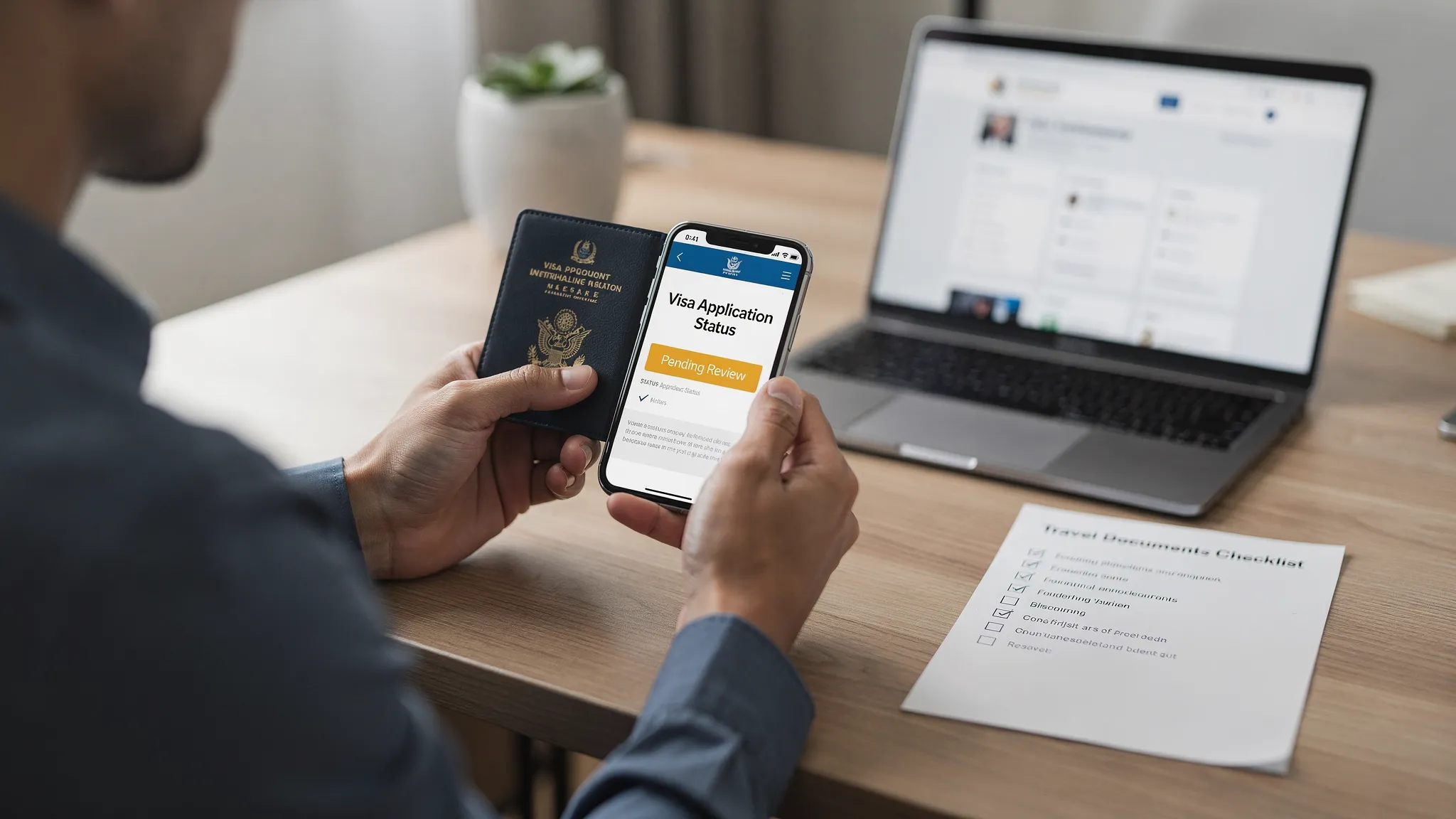
The 10-minute troubleshooting flow (before you panic)
If your visa status looks wrong or stagnant, run through these checks in order. They solve a large share of real-world cases.
1) Confirm you are checking the right portal
Many travelers accidentally check:
- A third-party receipt page (not the government status tool)
- An old application account
- The wrong country’s site (common with similarly named programs)
If you applied through a trusted travel platform or partner flow, use the tracking link and reference number provided at submission.
2) Match your details exactly
Status tools often require exact matching. Check:
- Passport number (including letters, and no extra spaces)
- Name order and spelling (as shown in the passport MRZ)
- Date of birth formatting
A single character mismatch can return “not found” or “no record.”
3) Validate payment and confirmation
If you do not have both:
- A submission confirmation (reference number)
- A successful payment record
then the application may not be in a decision queue.
4) Search your email for “action required” messages
Document requests and verification links may arrive by email even when the portal still says “processing.” Check spam and promotions folders.
5) Look for a document-quality problem
The most common preventable delay is a file that technically uploaded but fails review, for example:
- Blurry passport scan, cut-off MRZ, glare
- Photo not meeting size/background rules
- Unsupported file type or large file size
If you need a broader safety framework for online applications, see: Travel Visa Online: How to Apply Safely.
Fixes for the most common “status problems”
Below are practical fixes that work across many eVisa and consular workflows.
“No record found”
Common causes:
- You are entering details differently than the portal expects
- The application was never successfully submitted
- The portal is temporarily down or not synced
Fix:
- Re-enter details exactly as the passport shows (including middle names if required)
- Try a different browser and disable autofill
- If you still lack a reference number, you may need to submit again, but only on the official portal or a trusted partner
“Payment pending” for more than 24 to 48 hours
Common causes:
- Bank authorization holds that never capture
- 3-D Secure or fraud checks
- Session timeout during checkout
Fix:
- Do not file a duplicate application immediately (duplicates can cause confusion)
- Contact your bank to confirm whether the charge is pending or completed
- If the portal provides a “resume payment” function, use it
“Processing” for longer than expected
Common causes:
- Peak travel periods
- Manual review flags (name similarity, prior travel history questions, inconsistent data)
- Backlogs at the authority
Fix:
- Compare your timeline to official guidance (processing time pages are usually published per program)
- Make sure you can respond quickly if contacted
- Avoid last-minute changes to itinerary that require revalidation
For U.S. travelers in particular, official tools depend on visa type. For example, consular case status often uses CEAC: CEAC Visa Status Check (U.S. Department of State).
“Additional documents required” but you are unsure what to upload
Common causes:
- You missed a specific format requirement
- The portal message is short and lacks context
Fix:
- Upload only what is requested, labeled clearly (for example:
BankStatement_JohnSmith_Jan2026.pdf) - Keep documents consistent across the application (employer name, dates, addresses)
- If the request is unclear, ask support for clarification before uploading random extras
Approved, but the details are wrong
This is urgent because mismatches can cause denied boarding or issues at the border.
Fix:
- Compare the approval document to your passport line-by-line
- If a correction process exists, use it immediately
- If your passport changed after approval, you may need to update or transfer the authorization depending on the country
(SimpleVisa has a country-agnostic overview of this scenario here: How to Transfer Your Electronic Visa to a New Passport.)
When to contact support vs. when to contact the government
Knowing who owns the next step saves a lot of time.
Contact the application provider (or your travel brand) when:
- You cannot access your application account
- You suspect a technical issue (upload failures, portal errors)
- You need help understanding which document the portal is asking for
SimpleVisa outlines what to prepare before reaching out in: Visa Contact Us: Get Instant Support.
Contact the issuing authority when:
- The portal instructs you to contact them
- You need a legal decision explanation, appeal route, or correction that only the authority can make
- Your case involves sensitive issues (inadmissibility findings, bans, prior removals)
For widely used travel authorizations, use official sources for rules and updates, for example:
- U.S. ESTA information: DHS ESTA site
- UK entry permission guidance (ETA and visas): UK Government (GOV.UK)
- ETIAS info (when operational): European Union ETIAS
For travel companies: reduce “Where is my visa?” tickets with better status visibility
If you are an OTA, airline, TMC, cruise line, or tour operator, visa-status anxiety turns into:
- Higher support volumes
- Lower NPS
- Booking abandonment and chargeback risk
The fix is not just “add a help article.” It is embedding the right guidance and status checkpoints into the customer journey.
SimpleVisa is built to streamline visa application flows for travel businesses via API integration, a white-label visa application app, and no-code implementation options, so customers can complete guided applications and track progress without leaving your ecosystem. If you want a deeper operational playbook, see: Building a Seamless Post-Booking Visa Journey: Tools & Templates.
Frequently Asked Questions
Does “processing” mean my visa will be approved? No. “Processing” only means the application is in a queue for automated checks, manual review, or both. Approval depends on eligibility and document accuracy.
How long should my visa status stay on “submitted”? It depends on the country and visa type. Some portals keep “submitted” until a final decision, while others switch to “processing” quickly. Use official processing-time guidance as your benchmark.
Should I submit a second application if my status is stuck? Usually not. Duplicate submissions can cause delays or confusion, and you may pay fees twice. Reapply only if the authority instructs you to, or if you can confirm the first application never successfully submitted.
What does “administrative processing” mean? In many consular visa systems, it means extra checks beyond standard review. It can be routine, but timelines are unpredictable.
My visa is approved. Do I need to print it? Some borders accept digital-only proof, others still recommend a printed copy as backup. Check your destination’s rules and consider printing for resilience.
What if I notice an error after approval (name, passport number, dates)? Treat it as urgent. Follow the official correction process immediately. Traveling with mismatched details can lead to denied boarding or refusal at entry.
Make visa status updates easier for your travelers
If you are a travel business trying to cut visa-related support tickets and increase conversion, SimpleVisa helps you guide customers through border requirements with automated processing and flexible integration options.
Explore the platform at SimpleVisa or start with the practical resources in the SimpleVisa blog to improve the post-booking visa journey.