e Visa Apply Online With Fewer Errors
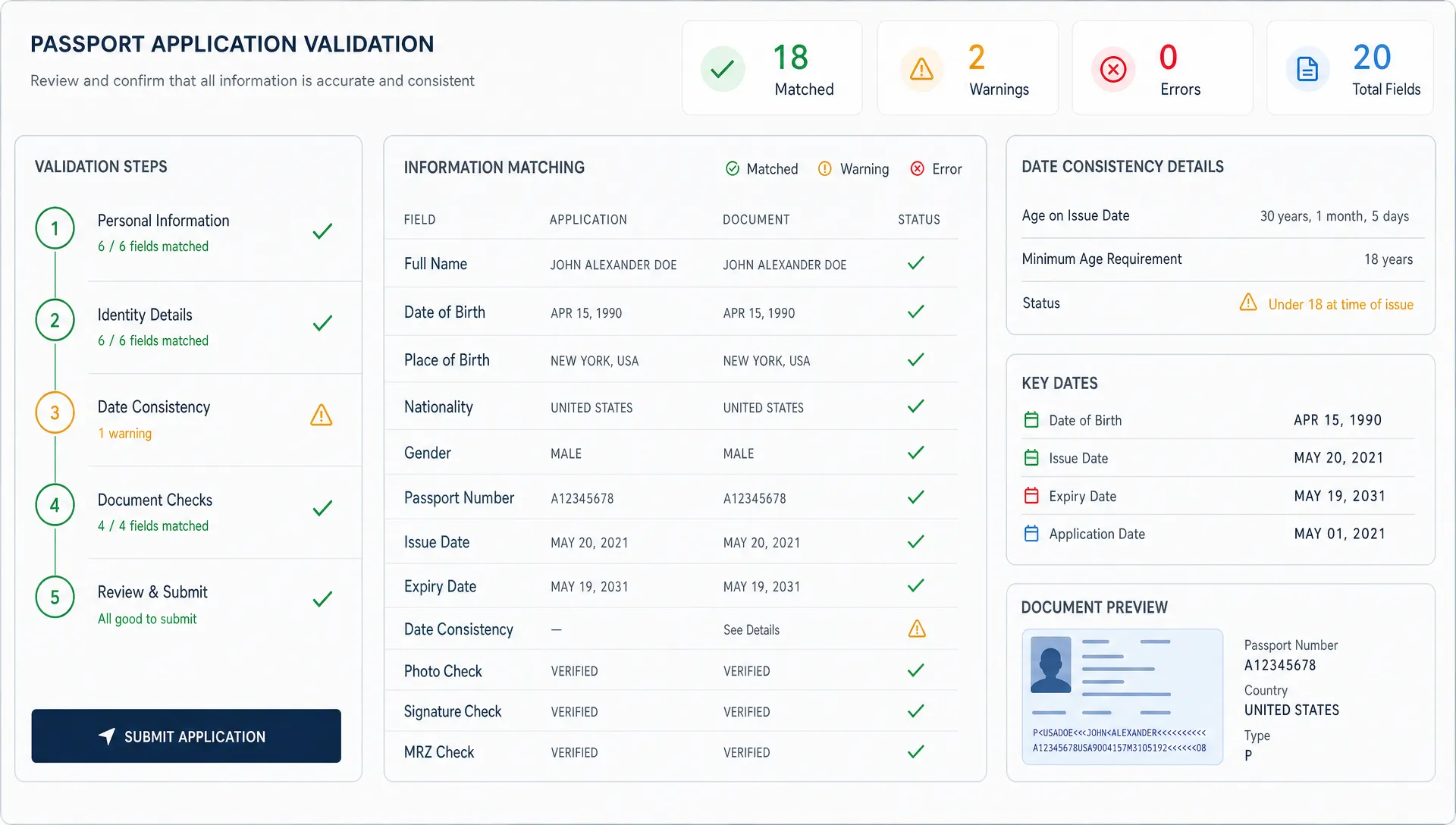
Applying for an eVisa online is usually faster than visiting an embassy, but faster does not automatically mean error-free. A single typo in a passport number, a mismatched travel date, or the wrong visa category can turn a simple application into a delayed trip, a support ticket, or a lost booking.
For travelers, the goal is straightforward: submit once, submit correctly, and receive the authorization in time. For travel businesses, the stakes are broader. Every visa error can create friction after purchase, increase customer service workload, and weaken trust in the booking experience.
The safest way to e Visa apply online with fewer errors is to combine good preparation, clear data checks, and a guided application flow that reduces guesswork. This guide explains what commonly goes wrong and how travelers, agencies, OTAs, airlines, and tour operators can make online visa applications more reliable.
Why online eVisa applications still go wrong
Digital visa systems remove many paper-based problems, but they also introduce a different kind of risk. Travelers often complete applications on mobile devices, copy details from old booking emails, upload unclear document photos, or assume requirements are the same as a previous trip.
Most errors are not complex legal mistakes. They are simple inconsistencies that government systems, consular teams, or automated checks cannot ignore. Immigration authorities compare the application against the passport, trip details, supporting documents, and sometimes airline or hotel information. If the information does not line up, the application may be paused for review, returned for correction, or refused.
This is why an online application should not be treated like a quick checkout form. It is a regulated travel document request. The form may look simple, but the data behind it must be exact.
For a deeper look at issues that slow down submissions, SimpleVisa has a useful guide to eVisa form mistakes that cause delays. The key takeaway is that error prevention starts before the traveler reaches the payment step.
The most common eVisa errors to prevent
Online visa mistakes tend to fall into predictable categories. Knowing these patterns helps travelers review their own applications and helps travel businesses design better flows.
| Error type | What it looks like | Why it matters |
|---|---|---|
| Passport data mismatch | Name order, passport number, date of birth, or expiry date differs from the passport | Authorities may not be able to match the authorization to the traveler |
| Wrong visa category | Tourist, transit, business, study, or work purpose selected incorrectly | The traveler may receive an authorization that does not match the trip purpose |
| Weak document upload | Blurry passport scan, cropped photo, unreadable document, or wrong file type | The application may require manual review or resubmission |
| Inconsistent travel details | Arrival date, hotel, flight, or destination city conflicts with itinerary | The reviewing authority may request clarification |
| Eligibility assumption | Traveler applies despite nationality, destination, or trip length not fitting eVisa rules | The application may be rejected or redirected to another visa route |
| Contact information error | Incorrect email address or phone number | Approval notices or requests for extra information may be missed |
These mistakes are avoidable, but only if the process slows the traveler down at the right moments. A better application experience is not about adding friction everywhere. It is about adding the right checks where errors are most likely.
How travelers can apply online with fewer errors
A strong eVisa application starts with the official requirements for the destination, not with assumptions from a previous trip. Requirements can vary by nationality, passport type, trip purpose, length of stay, and even entry point. Two travelers on the same booking may need different documents.
Before completing the form, travelers should confirm whether the destination offers an eVisa for their nationality, whether the trip purpose is allowed under that eVisa, and whether the passport remains valid long enough after arrival. Many countries require several months of passport validity beyond the entry date, although the exact rule varies by destination.
Next, the traveler should use the passport as the source of truth. Names should be entered exactly as shown, including middle names where required. The passport number should be checked character by character. Dates should follow the format requested by the form, since month and day reversals are a common source of avoidable mistakes.
Supporting documents also need attention. A passport scan should show the full data page, all corners, and clear text. Photos should follow the requested size, background, and quality rules. If accommodation, invitation letters, or onward travel documents are required, the information should match the application form.
Finally, the traveler should review the full application before payment. Some systems do not allow changes after submission, and others require a new application if core passport details are wrong. Paying attention before submission is usually faster than correcting the mistake afterward.
What a low-error eVisa workflow looks like
A lower-error workflow does not rely on the traveler remembering every rule. It guides the traveler through the process in the right order and catches obvious mistakes before submission.
At a minimum, an effective online process should include:
- Eligibility checks based on nationality, destination, travel purpose, and trip dates.
- Clear instructions that explain which documents are needed and how they should look.
- Field validation for passport numbers, dates, email addresses, and required answers.
- Review screens that highlight critical information before payment.
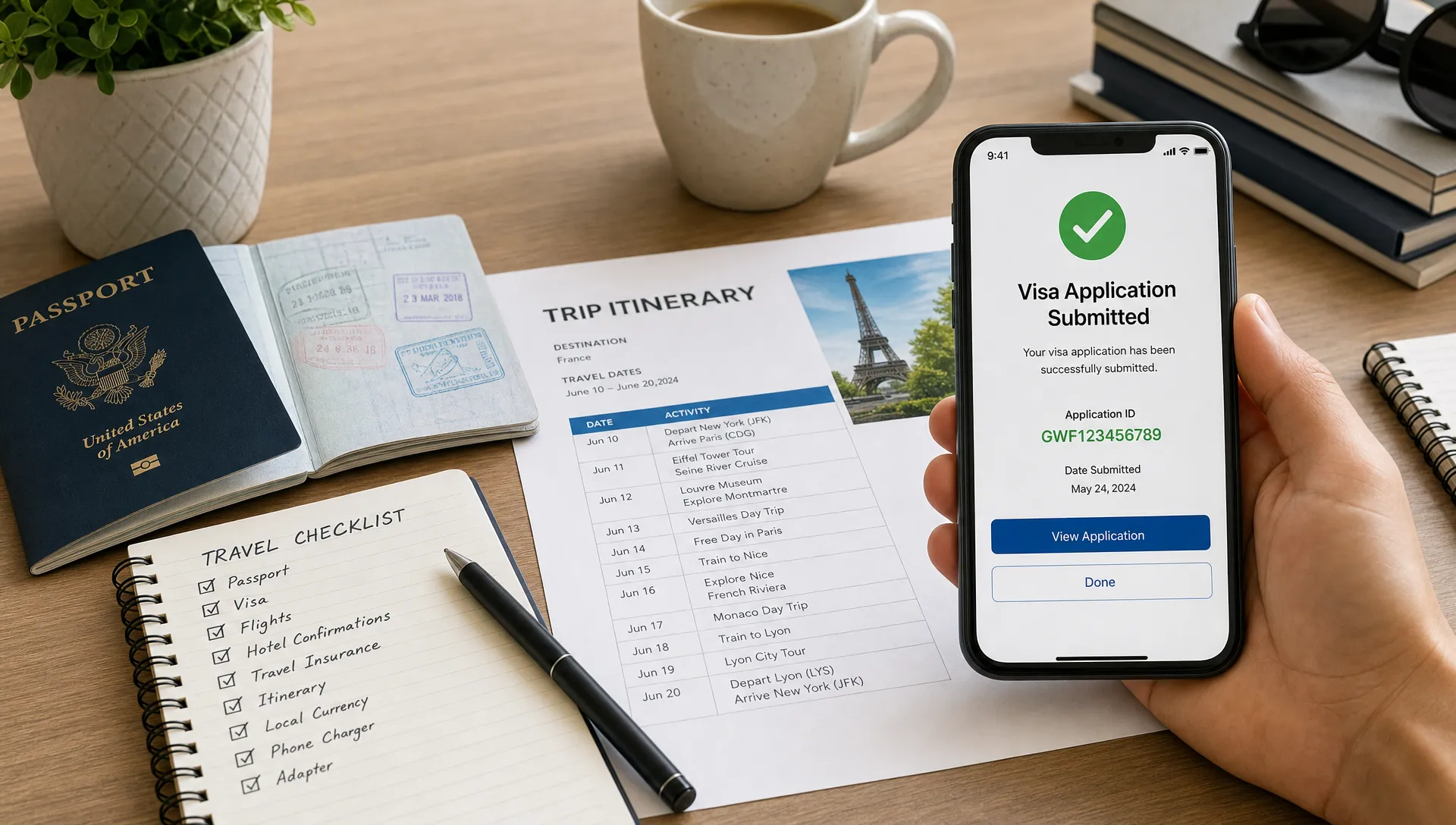
- Status updates so travelers know when an application has been submitted, reviewed, approved, or needs action.
For travel companies, this type of workflow can turn visa administration from a post-booking support burden into a guided customer experience. It also helps reduce avoidable customer anxiety. Travelers do not want to interpret immigration rules on their own after buying a ticket or package. They want clear next steps, accurate information, and confidence that the form has been completed correctly.
Why travel businesses should address eVisa errors inside the booking journey
Many visa problems appear after checkout, but the root cause often begins earlier. If a traveler books an international trip without being clearly guided through entry requirements, they may discover the visa step too late. That can lead to rushed applications, missed deadlines, and costly support interactions.
Embedding visa guidance into the booking journey helps solve this problem. Instead of sending travelers away to search for requirements, travel companies can provide a structured path based on the trip being booked. This is especially useful for OTAs, tour operators, airlines, travel management companies, and destination platforms that serve travelers across multiple nationalities and routes.
A good embedded experience can also increase ancillary revenue without weakening trust. The value is not simply selling another service. The value is helping customers complete a mandatory travel requirement with fewer mistakes and less uncertainty.
For companies evaluating how to modernize travel operations more broadly, visa processing may sit alongside other automation projects. Some teams work with specialized technology partners, such as operational AI and software development partners on EU servers, when they need custom systems for complex internal workflows. For visa-specific customer journeys, however, it is important to use solutions built around border requirements, document handling, and application guidance.
Practical design principles for fewer online visa errors
Reducing eVisa errors is partly a content problem and partly a product design problem. Travelers need correct information, but they also need a form experience that makes the correct action easier than the incorrect one.
Clear labels matter. A field labeled passport number should explain whether spaces are allowed, where to find the number, and whether similar-looking characters require special attention. Date fields should use unambiguous formats or calendar pickers. Name fields should explain how to handle middle names, accents, hyphens, and multiple surnames when relevant.
Document upload steps should show examples of acceptable and unacceptable images. If a passport photo is blurry, cropped, or too dark, the user should know before the application is submitted. The same applies to file size, file type, and document category.
Review pages should prioritize the fields that create the highest risk. A traveler may skim a long summary, but they are more likely to catch a problem if passport name, passport number, date of birth, nationality, and travel dates are grouped together and clearly marked as final-check items.
Travel businesses should also avoid forcing travelers to re-enter data already captured during booking unless there is a reason. Repetitive data entry increases the chance of typos. When integration is possible, prefilled fields can reduce errors, provided the traveler still has a chance to confirm accuracy against the passport.
Where automation helps and where human review still matters
Automation is valuable because it can catch repetitive, predictable errors at scale. It can check for missing fields, invalid date formats, incomplete uploads, and inconsistencies between booking data and application data. It can also guide travelers through destination-specific requirements without asking support teams to manually interpret every case.
Human review still matters for edge cases. Examples include unusual passport formats, complex travel purposes, document quality questions, or applications that require judgment before submission. A well-designed system should not pretend that every case is identical. Instead, it should automate the routine checks and route uncertain cases to a more careful review process.
This balance is especially important for travel brands. Customers expect speed, but they also expect accuracy. A fast submission that contains a preventable mistake is not a good experience. The best process is one that moves quickly when the application is straightforward and slows down when the risk of error is high.
SimpleVisa supports this kind of guided approach for travel businesses by streamlining visa application flows, offering integration options for travel sites, and helping customers move through border requirements with less confusion. Businesses can use solutions such as API integration, a white-label visa application app, custom data services, or no-code implementation depending on their operational setup.
A final checklist before submitting an eVisa application
Before any traveler submits an online visa application, they should complete a final review. Travel businesses can also use this checklist as inspiration for confirmation screens and support content.
- Confirm the traveler is eligible for the eVisa based on nationality, destination, purpose, and stay length.
- Match every personal detail against the passport, not against memory or booking emails.
- Check that passport validity meets the destination requirement.
- Verify that arrival and departure dates match the booked itinerary.
- Confirm the visa category matches the actual trip purpose.
- Review every uploaded document for clarity, completeness, and correct file type.
- Make sure the email address is correct and accessible.
- Save the application reference number and track the status after submission.
Travelers who want a broader safety overview can also read SimpleVisa’s article on safe ways to apply and track an online visa. Tracking matters because some applications require extra information after submission, and missing that message can delay approval.
For travel companies, fewer errors means better customer experience
Visa support is often treated as an administrative add-on, but for many travelers it is central to whether the trip can happen. If the visa process is confusing, the entire booking feels risky. If it is clear and guided, the traveler feels supported after purchase.
Reducing eVisa errors can help travel companies in several ways. It can lower support volume, improve customer confidence, and create a more complete booking experience. It can also support ancillary revenue when visa assistance is offered responsibly as a valuable service rather than a last-minute upsell.
SimpleVisa is designed for travel businesses that want to simplify border-crossing administration for their customers. Its solutions can be integrated into booking flows or delivered through a white-label app or data service, helping customers complete visa applications with clearer guidance and fewer avoidable mistakes. You can learn more about the platform at SimpleVisa.
Frequently Asked Questions
Can I correct an eVisa application after submission? It depends on the destination and the type of error. Some systems allow limited corrections, while others require a new application if passport details, nationality, or visa category are wrong. Always review critical fields before payment.
What is the most common mistake when applying for an eVisa online? Passport data mismatches are among the most common and most serious mistakes. The name, passport number, date of birth, nationality, and expiry date should match the passport exactly.
Does applying online guarantee faster visa approval? Not always. Online systems are often faster than paper processes, but approval time still depends on the destination, application volume, document quality, eligibility, and whether extra review is needed.
Should I use booking information or passport information when completing the form? Use the passport as the source of truth for identity fields. Booking information is useful for travel dates and itinerary details, but passport data must match the official travel document.
How can travel businesses reduce customer visa mistakes? They can provide eligibility checks, guided forms, document upload guidance, validation rules, review screens, and status updates directly inside or alongside the booking journey.
Make online visa applications easier to complete correctly
Applying for an eVisa online should not feel like guessing through a government form. With the right preparation, validation, and guidance, travelers can avoid the small errors that cause major delays.
For travel businesses, the opportunity is even bigger. By bringing visa support into the customer journey, you can reduce friction, support travelers after booking, and create a more reliable ancillary service. SimpleVisa helps travel companies guide customers through visa requirements with integrated, automated, and white-label options built for modern travel flows.