How to Apply for an Indian Visa Without Common Errors
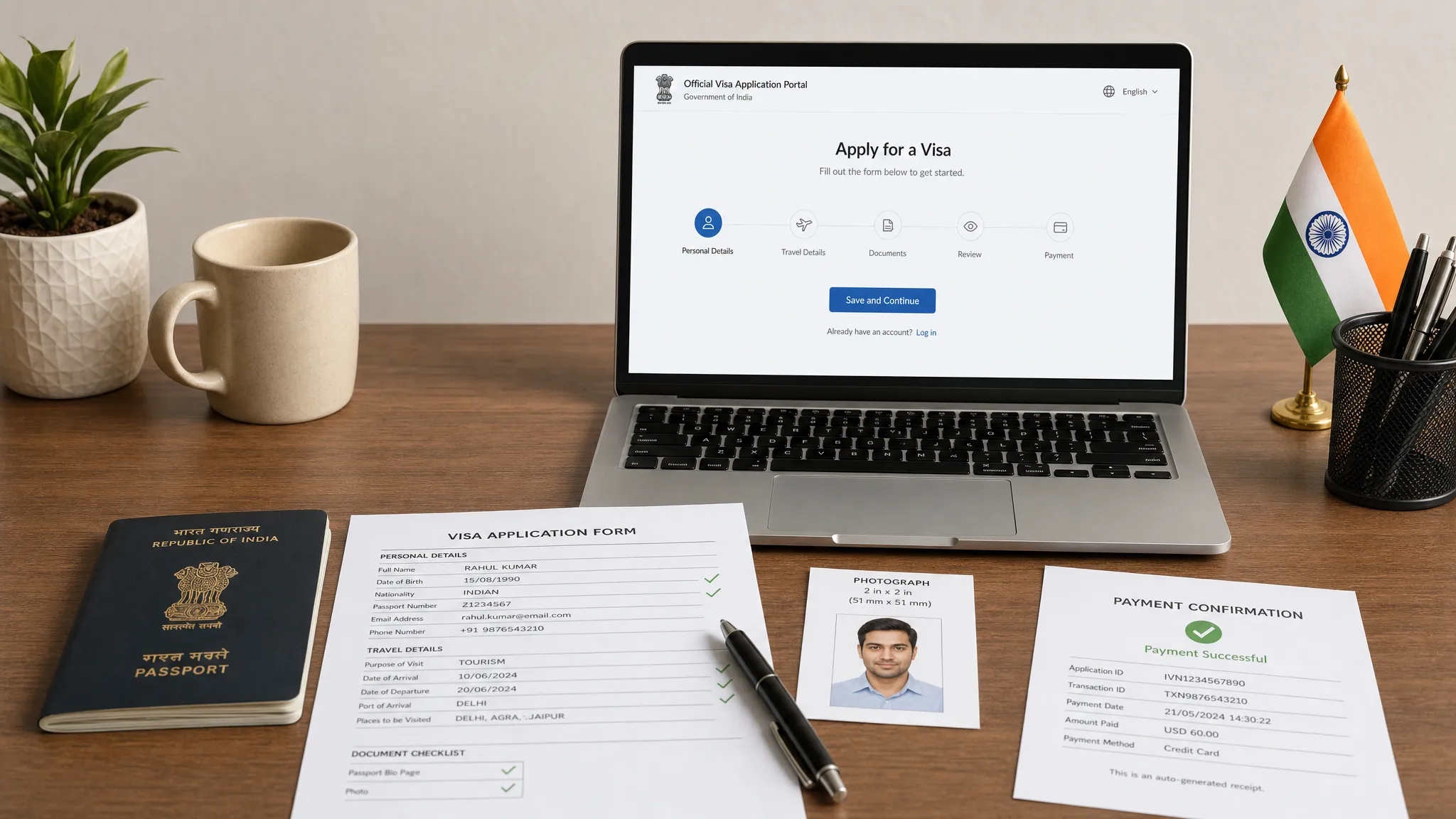
Small mistakes on an India visa application can cause outsized problems: payment failures, processing delays, requests for correction, or even refusal. The good news is that most errors are predictable. If you know where applicants typically go wrong, you can apply for an Indian visa with far more confidence.
This guide focuses on practical checks for travelers, travel advisors, tour operators, and booking platforms that help customers prepare for India trips. It is not legal advice, and visa rules can change, so always verify final requirements on the official Government of India portal before submitting.
Start by choosing the right Indian visa route
Before filling out any form, confirm whether you need an Indian eVisa or a regular visa. Many avoidable mistakes begin with applicants choosing the wrong pathway because they assume every short trip qualifies for an eVisa.
The official Government of India visa system separates electronic applications from regular visa applications. The official Indian eVisa portal is used for eligible eVisa categories, while the regular Indian visa application portal is used when a traveler needs a consular or mission-processed visa.
| Question to ask | eVisa may fit | Regular visa may be needed |
|---|---|---|
| What is the travel purpose? | Tourism, certain business trips, medical visits, conferences, and other eligible eVisa purposes listed by India | Employment, journalism, research, long stays, or other purposes not covered by eVisa rules |
| How will the traveler enter India? | Through designated airports and seaports listed on the official eVisa site | If entering through a port not supported for eVisa entry, such as some land routes |
| What passport does the traveler hold? | Eligible ordinary passport from a listed country | Non-eligible nationality, diplomatic or official passport, or special travel document |
| How soon is the trip? | If the application timing fits the official eVisa window | If processing through a mission is required or the case is complex |
If you are not sure which route applies, pause before paying any fees. A wrong category can be more than a minor correction. It can make the application unsuitable for the traveler’s actual purpose, which may lead to denial or problems at the border. For a broader pre-application framework, SimpleVisa’s guide on where to start when you need help with a visa application is a useful companion.
Check passport validity before doing anything else
Passport issues are among the easiest to catch and the most frustrating to miss. India’s eVisa rules commonly require the passport to be valid for at least six months from the date of arrival and to have blank pages available for immigration stamps. Requirements can vary by visa type, so confirm the current rule before applying.
Check the passport data page carefully, not just the expiration date. The name, passport number, nationality, date of birth, place of birth, and sex must match the application exactly. If the traveler recently renewed a passport, make sure they are applying with the passport they will actually use to travel.
A common error is applying with an old passport number because it was saved in a booking profile or frequent flyer account. Another is entering the letter “O” instead of the number “0,” or the number “1” instead of the letter “I.” These tiny differences matter because the visa approval is tied to the passport details provided.
Use the traveler’s exact identity details
Visa forms are not the place for nicknames, shortened names, or informal spellings. Use the traveler’s name exactly as it appears in the passport’s machine-readable and printed sections. If the passport includes middle names, suffixes, or multiple surnames, copy them consistently across the application and supporting documents.
Be especially careful with these identity fields:
- Given name and surname order
- Middle names and initials
- Date of birth format
- Place of birth
- Nationality and citizenship history
- Passport issue date and expiration date
- Previous Indian visa details, if applicable
Date format mistakes are common because applicants are used to their local convention. If the form asks for day, month, and year, do not reverse the month and day. A traveler born on 05/09 could accidentally change their birthday from September 5 to May 9 if they rush.
For families or group bookings, do not copy one applicant’s details into another person’s form as a shortcut. This is how wrong passport numbers, occupations, and addresses end up on otherwise valid applications.
Match the visa category to the real purpose of travel
The purpose of travel should align across the application, itinerary, invitation documents, and traveler behavior. For example, a traveler attending meetings with a local company should not casually choose tourism because it seems simpler. A medical traveler should not describe the trip as a vacation if the supporting documents show treatment appointments.
Common India-related category errors include choosing a tourist eVisa for business meetings, selecting a business category without a clear business purpose, or applying for a short-term visa when the planned stay exceeds the allowed duration. If the traveler has multiple purposes, check which category best fits the primary purpose and whether additional documentation is required.
The safest approach is to write the purpose in plain, consistent language. Avoid vague statements such as “personal work” or “general visit.” A clear purpose reduces the risk that the application appears inconsistent or incomplete.
Prepare documents before opening the form
Do not start the online form and gather documents as you go. That increases the chance of timeout errors, rushed uploads, and inconsistent answers. Create a clean folder with final versions of every document first.
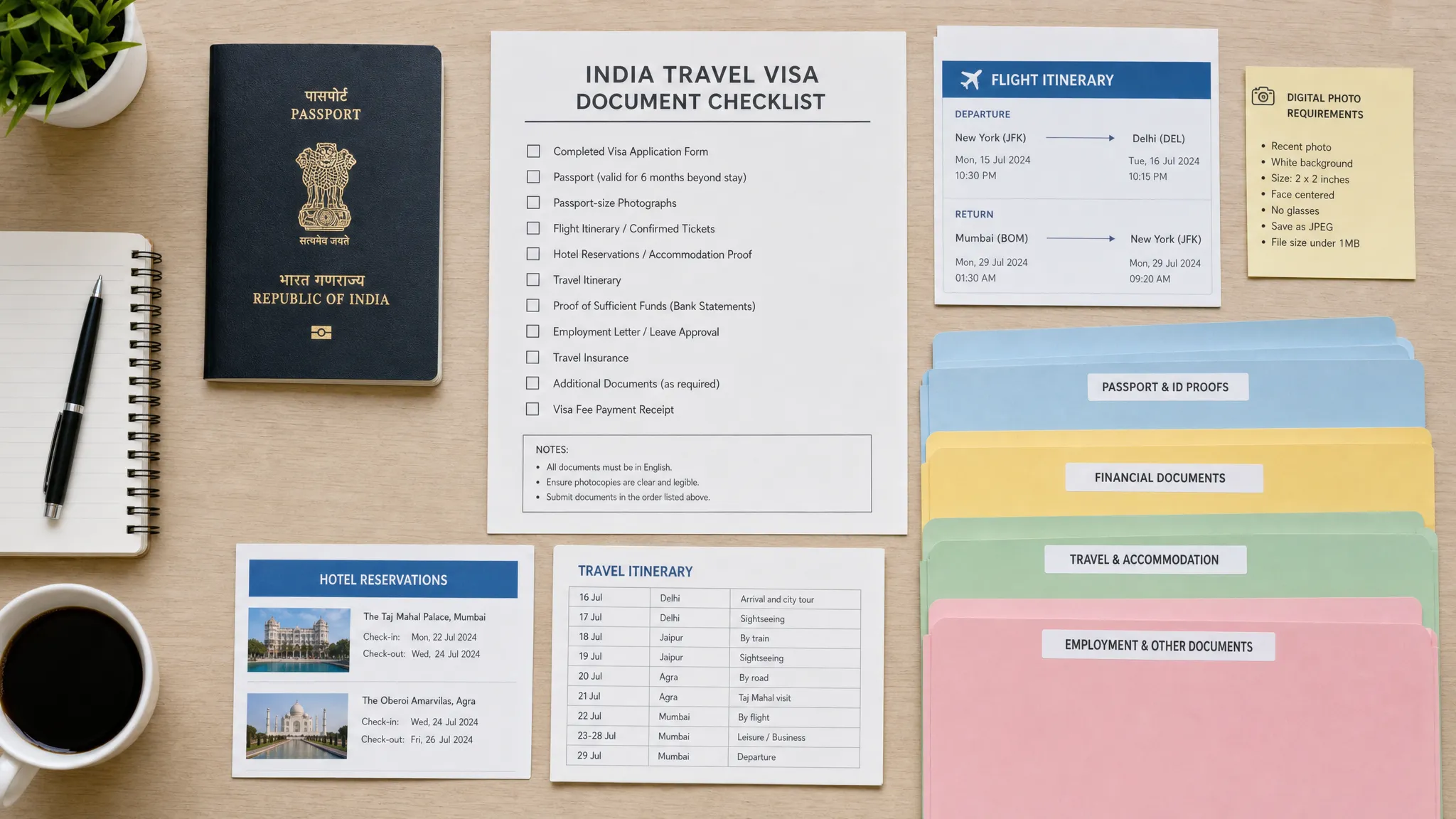
For many Indian visa applications, travelers should expect to prepare items such as a passport scan, a digital photo, travel dates, accommodation information, return or onward travel details, and purpose-specific documents such as business cards, invitation letters, hospital letters, or conference details. The exact list depends on the visa category and nationality.
A simple naming system can prevent accidental uploads. For example, use names like Smith-Jane-Passport.pdf, Smith-Jane-Photo.jpg, and Smith-Jane-Business-Invitation.pdf. If you manage many customer applications, consistent file names are not just tidy. They reduce operational errors.
SimpleVisa has a practical guide on organizing travel visa documents without mistakes that can help travelers and travel teams build a repeatable document process.
Get the photo and passport scan right
Digital upload requirements are a frequent source of rejected or delayed applications. India’s eVisa photo and document specifications can include file type, file size, image dimensions, background color, and face visibility rules. Always check the current specifications on the official site before uploading.
For the applicant photo, avoid selfies, shadows, hats, sunglasses, heavy filters, cropped faces, and busy backgrounds. The image should generally be a recent, front-facing passport-style photo with a plain light background. The face should be clear, centered, and not covered by hair or accessories.
For the passport scan, upload the correct page, usually the biographical data page. It should be sharp, complete, and readable. The full page should be visible, including the passport number, name, date of birth, issue and expiry dates, and machine-readable zone. Do not upload a blurry phone photo taken at an angle.
If the file is too large, compress it without making the text unreadable. If the file is too small or pixelated, rescan it. A technically accepted upload is not always a quality upload, so review every file after compression.
Fill out the form slowly, then review it twice
Indian visa application forms can ask for detailed information, including address history, occupation, family details, previous travel, references, and security questions. Rushing through these sections is one of the fastest ways to create inconsistencies.
A reliable process is to complete the form in one focused session, save the application ID, then review the entire form against the passport and documents. If the system allows, download or print a copy before final submission. This gives the traveler or travel team a reference if questions come up later.
Watch carefully for autocomplete errors. Browsers may insert old addresses, outdated phone numbers, or another traveler’s email. If the email address is wrong, the traveler may miss payment confirmations, application updates, or the electronic travel authorization.
The final review should not be done only by the person who typed the form. A second set of eyes is especially helpful for passport numbers, dates, and name spelling.
Avoid unofficial site confusion and payment mistakes
Many travelers search online, click the first result, and assume it is the official visa site. Some third-party services are legitimate, but others may charge high fees, provide outdated information, or create confusion about the application status. If you use a service provider, make sure you understand what they do, what they charge, and whether they are handling the correct visa type.
When paying, use a reliable card and stable internet connection. Do not refresh the payment page repeatedly unless instructed. If payment fails, wait and check the application status before starting a duplicate application. Duplicate payments and duplicate applications can complicate tracking.
Keep a record of the payment receipt, application ID, and any reference number. If you are applying on behalf of a customer, send them a clear confirmation of what was submitted and what remains pending.
Build in enough time before departure
Waiting until the last possible moment is risky, even for electronic visas. Processing times can be affected by weekends, public holidays, missing documents, payment problems, system issues, or additional review. India’s official eVisa site publishes timing rules for different categories, but travelers should still avoid treating the minimum application window as a recommended deadline.
Apply early enough to fix a mistake if one appears. If the traveler needs a regular visa through an Indian mission, allow extra time for appointments, document submission, and passport return.
Travel businesses should also account for customer behavior. A traveler may delay sending a passport scan, upload the wrong photo, or ignore a request for clarification. A buffer protects both the traveler and the booking experience.
For a broader preparation list, the SimpleVisa online visa application checklist covers the documents, scans, and timing checks that apply to many online visa processes.
Know what to carry when traveling to India
Approval is not the final step. For an Indian eVisa, the traveler should receive an Electronic Travel Authorization, often called an ETA. They should check that the ETA status is granted and that the details match the passport.
Carry a printed or accessible digital copy of the ETA, the passport used for the application, return or onward travel details, accommodation information, and supporting documents related to the trip purpose. Border officers may ask questions, and final permission to enter is determined at immigration.
Travelers should also respect validity, permitted stay, number of entries, and activity restrictions. A visa for one purpose does not automatically authorize every activity. Overstaying or working without the right authorization can create serious future travel problems.
Error-proof checklist before submission
Use this final checklist just before paying or submitting the application.
| Checkpoint | What to confirm | Why it matters |
|---|---|---|
| Official route | eVisa or regular visa is correct for the traveler | Wrong route may cause refusal or travel disruption |
| Passport validity | Passport meets current validity and blank page rules | Approval is tied to the passport |
| Personal data | Name, date of birth, nationality, and passport number match exactly | Identity mismatches are hard to fix later |
| Travel purpose | Visa category matches the real trip purpose | Inconsistent purpose can raise concerns |
| Entry point | Arrival airport or seaport is permitted for eVisa, if applicable | Some entry points may not support eVisa entry |
| Photo | Recent, clear, compliant digital photo | Upload problems can delay processing |
| Passport scan | Full data page is readable and correctly formatted | Blurry scans can trigger issues |
| Email and phone | Contact details are current and accessible | Updates and approvals may be sent there |
| Payment record | Receipt and application ID are saved | Needed for tracking and support |
| Travel timing | Application is submitted with enough buffer | Last-minute errors are harder to fix |
If any answer is uncertain, stop and verify before submission. It is usually easier to correct a draft than a submitted application.
Tips for travel businesses helping customers apply
For travel agencies, airlines, online travel agencies, tour operators, and travel management companies, visa mistakes are not just customer mistakes. They can become support tickets, cancellations, refund disputes, and poor post-booking experiences.
The best customer experience is proactive. Ask for visa-relevant details early in the booking flow, present requirements in plain language, and guide travelers through document preparation before urgency sets in. Use validation where possible, such as date format checks, passport expiry warnings, and category prompts based on trip purpose.
SimpleVisa helps travel businesses simplify border-crossing administration with guided visa application flows, API integration, white-label options, data services, and no-code implementation paths. For businesses that want to reduce friction while creating ancillary revenue opportunities, a structured visa journey can be a meaningful upgrade to the booking experience.
Frequently Asked Questions
Can I apply for an Indian visa online? Many travelers can apply online through India’s eVisa system if their nationality, passport type, purpose of travel, and entry point are eligible. Others may need to use the regular visa application process through an Indian mission or authorized center.
What is the most common mistake when applying for an Indian visa? One of the most common mistakes is entering passport details incorrectly. Name spelling, passport number, date of birth, and expiration date must match the passport exactly.
Is an Indian eVisa the same as a regular visa? No. An eVisa is an electronic authorization for eligible travelers and purposes, while a regular visa may involve mission processing and different requirements. The correct option depends on the traveler’s situation.
Can I change my Indian visa application after submission? Correction options depend on the application stage and the type of error. Some mistakes may require a new application or contacting the relevant authority. Review carefully before submitting to avoid this problem.
Should I book flights before applying for an Indian visa? Requirements vary by visa type, and some applications may ask for travel details. However, travelers should understand visa timing and eligibility before making non-refundable bookings.
Do children need their own Indian visa application? In most cases, each traveler, including minors, needs an individual visa or authorization. Parents or guardians should ensure each child’s passport, photo, and application details are correct.
Make India visa guidance easier for your customers
Indian visa applications are manageable when travelers choose the right route, prepare documents early, and review every detail before submission. For travel businesses, the opportunity is to make those safeguards part of the customer journey instead of leaving travelers to figure it out alone.
If your business wants to guide customers through border requirements with fewer manual touchpoints, SimpleVisa can help streamline visa application support through automation, integrations, white-label options, and data services built for travel workflows.